
Automated Inventory Sync for Crafters: 2026 Guide

Table of Contents
- Why Automated Inventory Sync for Crafters Changes Everything
- Best Inventory Management Software for Handmade Business Owners
- Etsy and Shopify Inventory Integration: How to Set It Up
- How to Prevent Overselling on Etsy With Automated Inventory Sync
- Tracking Raw Materials, Batch Production, and COGS for Crafters
- Demand Forecasting and Seasonal Planning for Craft Businesses
- Sustainability and Waste Tracking: The Angle Most Crafters Overlook
- Conclusion
Last Updated: May 21, 2026
Selling handmade goods across multiple channels without automated inventory sync for crafters is, honestly, a recipe for chaos. Embed360 has helped hundreds of Etsy sellers discover this the hard way: one oversold listing during a holiday rush can wipe out weeks of goodwill. This guide covers everything from real-time syncing mechanics to COGS calculation, demand forecasting, and the sustainability angle most inventory guides completely ignore. Below, you’ll find exactly how to set up a system that keeps your stock levels accurate whether you’re selling on Etsy, Shopify, or your own WordPress site simultaneously.
Here’s what most guides get wrong: they treat inventory management as a bookkeeping problem. It’s actually a production problem. Crafters don’t restock from a warehouse. They make things. That distinction changes everything about how your sync system needs to work.

Why Automated Inventory Sync for Crafters Changes Everything
Automated inventory sync for crafters is the process of connecting your sales channels, production records, and stock counts into a single system that updates in real time without manual input. For handmade sellers, this isn’t a luxury feature. It’s the difference between a scalable business and a permanent side hustle.
The Hidden Cost of Manual Entry for Handmade Sellers
Most crafters start with spreadsheets. That’s fine at five SKUs. At fifty, it becomes a part-time job that nobody hired you to do.
The hidden cost isn’t just time, though time is significant. Manual entry creates lag. You sell a batch of hand-poured candles at a craft fair on Saturday morning, but your Etsy listing still shows "5 in stock" until Sunday night when you remember to update it. Someone buys two. You’ve now oversold. The apology email, the refund, the negative review risk: all of that traces back to a 48-hour data gap.
A common mistake is treating each sales channel as a separate system. Sellers often maintain one spreadsheet for Etsy, another for their Shopify site, and a third for wholesale orders. Reconciling those three sources at month-end takes hours and still produces errors.
The real cost of manual inventory management compounds over time: duplicate work, customer service overhead, and the mental load of tracking stock across channels. Many handmade business owners report that inventory anxiety is one of the top reasons they cap their growth voluntarily. They’re afraid to scale because they can’t trust their numbers.
From Spreadsheets to Real-Time Inventory Syncing
Real-time inventory syncing means that when a customer buys your last unit on Etsy, that quantity drops to zero on your Shopify storefront and your Facebook shop within seconds, not hours. The mechanism is an API connection between your sales channels and a central inventory database.
The transition from spreadsheets to cloud-based software feels daunting. It doesn’t need to be. The practical shift involves three things: centralizing your SKU list, connecting your channels, and letting the system handle the arithmetic. According to Shopify’s guide to multichannel inventory management, sellers who centralize inventory management across channels report significantly fewer fulfillment errors and spend less time on manual reconciliation.
For crafters specifically, real-time syncing also means your production queue becomes part of the data. When you finish a batch of ten items, you update one record and every channel reflects the new stock immediately.
Best Inventory Management Software for Handmade Business Owners
The best inventory management software for handmade business owners balances multi-channel syncing with production tracking features that generic retail tools skip entirely. Most enterprise solutions assume you’re buying finished goods from a supplier. Crafters are the supplier, which means you need recipe management, raw material tracking, and batch production tools alongside standard SKU management.
Feature Comparison: Top Tools at a Glance
| Tool | Multi-Channel Sync | Recipe/Batch Tracking | Etsy Integration | Free Plan | Best For |
|---|---|---|---|---|---|
| Embed360 | Real-time, all channels | Via product variants | Native | Yes | Etsy sellers expanding to web/social |
| Craftybase | Yes | Yes, detailed | Yes | No | Small-batch manufacturing focus |
| inFlow Inventory | Yes | Limited | Third-party | No | Growing product catalogs |
| Linnworks | Yes | No | Yes | No | High-volume multi-channel |
| Stocky by Shopify | Shopify only | No | No | Free with Shopify | Shopify-first stores |
Embed360 is the top pick for Etsy sellers who want to expand beyond the marketplace without rebuilding their entire operation. Its real-time syncing covers WordPress, Shopify, Wix, Squarespace, Facebook, Instagram, and Google Shopping from a single dashboard. The AI-powered listing optimization also handles title and description improvements automatically, which means your inventory expansion doesn’t require a separate copywriting workflow. Check out the Etsy Embed feature if you want to display your Etsy listings directly on your own website with zero manual updates.
Embed360 is best for Etsy sellers who want real-time inventory sync across their own website and social channels without managing multiple disconnected tools.
DIY Spreadsheets vs. SaaS Platforms: The Real Cost-Benefit Analysis
Most inventory guides skip this comparison entirely and jump straight to recommending software. That is a disservice to crafters who are genuinely evaluating whether automation is worth the cost at their current scale. Here is the honest breakdown, including the hidden costs that neither side of the debate usually acknowledges.
What Spreadsheets Actually Cost You
A spreadsheet is not free. It is free to license, but the operational cost has several components that compound as your business grows.
Time cost of manual reconciliation. A single-channel seller with under 20 SKUs can maintain a spreadsheet in roughly 30 to 60 minutes per week. Add a second sales channel and that time roughly doubles, not because the data entry doubles, but because reconciling two sources of truth introduces a verification step that single-channel management does not require. Add a third channel (say, Etsy, Shopify, and in-person craft fairs) and many sellers report spending four to six hours per week on inventory tasks alone. That time has an opportunity cost: it is time not spent making products, marketing, or fulfilling orders.
Error cost of lag. Spreadsheets are updated when you remember to update them. The gap between a sale occurring and your spreadsheet reflecting it is your oversell window. During a high-traffic period, a holiday sale, a feature in a popular newsletter, a viral social post, that window can produce multiple oversells within hours. Each oversell generates a customer service interaction, a refund, and reputational risk. The cost of a single oversell event (refund processing time, apology communication, potential negative review) typically exceeds the monthly cost of a basic SaaS subscription.
Scaling cost of complexity. A spreadsheet that works at 20 SKUs does not scale gracefully to 80. Variant management, tracking a candle in four scents and three sizes as twelve distinct SKUs, becomes error-prone in a flat spreadsheet structure. Sellers frequently resort to workarounds (color-coding, separate tabs, lookup formulas) that introduce new failure points. The maintenance overhead of a complex spreadsheet often exceeds the cost of the SaaS tool it was built to avoid.
The hidden cost most crafters miss: raw material tracking. Spreadsheets track finished goods reasonably well. They track raw materials poorly. Connecting your ingredient inventory to your finished goods inventory, so that producing a batch of soap automatically decrements your lye, oils, and fragrance stock, requires either a relational database structure or a level of formula complexity that most spreadsheet users never build. The result: crafters who use spreadsheets almost universally undercount their raw material consumption, which means their COGS calculations are wrong, which means their pricing decisions are built on inaccurate data.
What SaaS Platforms Actually Cost You
SaaS tools have their own honest cost profile.
Subscription cost. Entry-level plans for craft-focused tools typically range from roughly $10 to $30 per month. Mid-tier plans with full multi-channel sync and recipe management run higher. This is a real, recurring cost that a spreadsheet does not have.
Learning curve cost. Switching from a spreadsheet you built yourself to a new platform requires time to learn the interface, map your existing data to the platform’s structure, and build new habits. Most sellers report that the transition takes two to four weeks before the new system feels natural. During that period, productivity dips.
Migration cost. Moving historical data from a spreadsheet to a new platform is the step most crafters dread. It is manageable (see the data migration guide in the next section), but it is not zero effort. The migration cost is a one-time investment, not an ongoing one, but it is real and should be factored into the decision.
Vendor dependency. When your inventory lives in a SaaS platform, you are dependent on that platform’s uptime, pricing decisions, and continued operation. A spreadsheet you own cannot be discontinued or repriced. This is a legitimate risk to weigh, particularly for sellers who have been burned by platform changes before.
The Break-Even Framework
The decision to switch from spreadsheets to SaaS is not primarily a cost decision. It is a time-and-error-rate decision. A practical framework:
| Factor | Spreadsheet Wins | SaaS Wins |
|---|---|---|
| Number of active SKUs | Under 20 | 20 or more |
| Number of sales channels | 1 | 2 or more |
| Raw material tracking needed | No | Yes |
| Batch/recipe production | No | Yes |
| Time spent on inventory tasks per week | Under 1 hour | Over 2 hours |
| Oversell incidents in past 6 months | 0 | 1 or more |
If you score three or more "SaaS Wins" in the table above, the time and error savings from automation almost certainly exceed the subscription cost at any reasonable valuation of your time. If you score mostly "Spreadsheet Wins," a well-structured spreadsheet is a defensible choice, for now.
Don’t wait until you’ve already oversold three times to switch systems. Data migration is much easier when your catalog is small. Migrating 200 SKUs with variant history is significantly more painful than migrating 30. The best time to migrate is when your business is growing but not yet at the point where a migration would disrupt active orders.
Craft-Niche-Specific Trade-Offs
The spreadsheet vs. SaaS decision also plays out differently depending on your craft category.
Soap and cosmetic makers face the strongest case for SaaS, because raw material tracking and lot traceability are not optional if you sell products subject to any regulatory scrutiny. A spreadsheet cannot reliably connect a finished product lot to the specific raw material batch it was made from. A platform with recipe and lot tracking can.
Jewelry makers with high variant counts (multiple metals, stone options, sizes) hit the spreadsheet complexity ceiling faster than most other craft categories. Variant-level inventory tracking in a spreadsheet requires either a row per variant (which becomes unwieldy quickly) or formula logic that most sellers do not have the time to maintain correctly.
Textile and sewn goods makers often find that the raw material tracking benefit of SaaS is the deciding factor, specifically, the ability to track fabric yardage consumption per finished unit and generate accurate material cost per SKU automatically.
Ceramic and woodworking makers with longer production cycles and lower SKU counts sometimes find that a well-structured spreadsheet remains viable longer than other categories, because their variant complexity is lower and their sales velocity is slower. The tipping point for these makers is usually the addition of a second sales channel, not SKU count alone.
According to Shopify’s guide to multichannel inventory management, sellers who centralize inventory management across channels report significantly fewer fulfillment errors and spend less time on manual reconciliation, but the operational benefit is most pronounced for sellers managing ten or more SKUs across two or more channels simultaneously. Below that threshold, the productivity gain from automation is real but smaller.
Etsy and Shopify Inventory Integration: How to Set It Up
Etsy and Shopify inventory integration connects your two most common handmade selling channels so that stock levels, pricing, and product details stay consistent across both without manual updates. The integration works through a middleware platform (like Embed360) that reads from both APIs and writes changes back to each channel in real time.
Step-by-Step: Connecting Your Channels in One Dashboard
Total Time: 30-60 minutes for initial setup
Difficulty: Beginner
What You’ll Need:
- Active Etsy seller account with at least one published listing
- Shopify store (free trial works)
- Embed360 account (free plan available)
Step 1: Create your Embed360 account [Time: 5 minutes]
Sign up at embed360.co and complete your seller profile. Select Etsy as your primary channel.
Step 2: Connect your Etsy shop [Time: 5 minutes]
Authorize the Etsy API connection. Embed360 will pull your existing listings, images, pricing, and inventory counts automatically.
Step 3: Connect Shopify (or your website platform) [Time: 10 minutes]
Add your Shopify store URL and authorize the connection. Embed360 maps your Etsy listings to Shopify product records.
Step 4: Review your SKU mapping [Time: 10 minutes]
Check that variants (size, color, material) have mapped correctly. Fix any mismatches before activating sync.
Step 5: Set your sync rules [Time: 5 minutes]
Choose whether Etsy or Shopify is your "source of truth" for inventory counts. Set low-stock alert thresholds.
Step 6: Activate real-time sync [Time: 2 minutes]
Flip the sync toggle. From this point, any inventory change on either channel updates automatically.
Expected Result: Within 24 hours, your stock levels should be identical across both channels. Test by manually adjusting one listing’s quantity and confirming the change appears on the other channel within 60 seconds.
Data Migration Guide: Moving From Spreadsheets to Cloud-Based Software
Data migration is where most crafters stall. The fear of losing historical data or corrupting existing listings is real, but the process is manageable with the right sequence.
Phase 1: Audit your spreadsheet. Before importing anything, clean your data. Remove discontinued SKUs, reconcile quantities against your physical stock count, and standardize your naming conventions. "Lavender Soy Candle 8oz" and "8oz Soy Candle – Lavender" are the same product. Pick one format and apply it everywhere.
Phase 2: Export a CSV. Most spreadsheet inventory templates export cleanly to CSV. Your target columns are: SKU, product name, variant details, current quantity, cost per unit, and selling price.
Phase 3: Import to your platform. Embed360 and most SaaS platforms accept CSV imports. Map your columns to the platform’s fields during the import wizard.
Phase 4: Verify a sample. Don’t trust a bulk import blindly. Check 10-15 products manually against your original spreadsheet to confirm quantities and prices transferred correctly.
Phase 5: Connect your channels and activate sync. Only connect your live sales channels after your inventory data is verified. This prevents a corrupted import from pushing bad data to your Etsy or Shopify storefront.
Run your spreadsheet and your new platform in parallel for the first two weeks. Update both manually during the transition period. When the platform’s numbers consistently match your physical count, you can retire the spreadsheet with confidence.
How to Prevent Overselling on Etsy With Automated Inventory Sync
Overselling on Etsy happens when your listed quantity doesn’t reflect your actual available stock, and a customer purchases an item you cannot fulfill. The fix is automated inventory sync that updates quantities across all channels the moment a sale occurs, regardless of which channel it came from.
Low-Stock Alerts, FIFO Tracking, and Automated Reordering
Three mechanisms work together to prevent overselling and stockouts: real-time quantity sync, low-stock alerts, and FIFO (First-In-First-Out) lot tracking.
Real-time quantity sync is the foundation. Every sale on any channel immediately decrements your central inventory count, which then pushes the updated number back to all connected channels. There’s no polling delay, no manual trigger required.
Low-stock alerts are the early warning system. Set a threshold, say three units remaining, and the system emails you (or triggers a Slack notification) before you hit zero. This gives you production lead time before a stockout occurs rather than after. According to Etsy’s seller handbook on inventory best practices, proactively managing stock levels is one of the most cited factors in maintaining high seller ratings.
FIFO tracking matters for crafters who work with perishable or time-sensitive raw materials: natural dyes, food-grade ingredients, wax blends with shelf lives. FIFO ensures your oldest batch sells first, reducing waste and keeping your cost of goods sold calculations accurate.
Automated reordering closes the loop. When a raw material drops below your minimum threshold, the system generates a purchase order automatically. For high-volume sellers, this eliminates the "I forgot to order more beeswax" production stop entirely.
What most guides miss: overselling isn’t just a quantity problem on high-demand items. It’s also a variant problem. A candle available in three scents and two sizes has six SKUs. Manual sellers frequently oversell a specific variant while the parent product still shows as "in stock." Automated sync at the variant level, not just the product level, is the only reliable fix.
Tracking Raw Materials, Batch Production, and COGS for Crafters
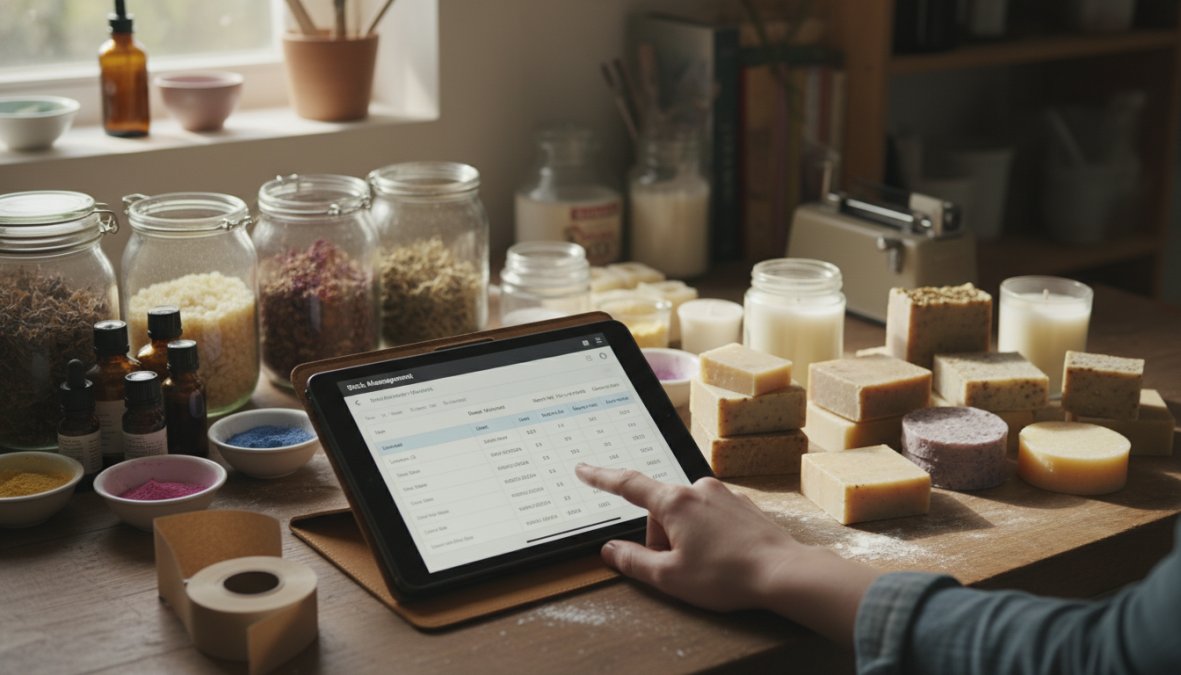
Tracking raw materials for handmade businesses means connecting your ingredient inventory to your finished goods inventory so that producing a batch automatically decrements your raw material stock and adds to your finished goods count.
Recipe and Lot Tracking for Small-Batch Manufacturing
Recipe management is the feature that separates general inventory software from tools built for small-batch manufacturing. A recipe (sometimes called a bill of materials) defines exactly how much of each raw material goes into one finished unit.
When you produce a batch of 24 lavender soaps, your system should automatically:
- Subtract the required lye, oils, fragrance, and colorant from your raw material stock
- Add 24 units to your finished goods inventory
- Record the lot number and production date for traceability
Lot tracking becomes important for compliance if you sell cosmetics, food items, or anything subject to recall risk. Knowing exactly which batch of raw material went into which production run lets you isolate a problem quickly if a supplier ships a defective ingredient.
According to the FDA’s guidance on cosmetic labeling and batch records, handmade cosmetic sellers who maintain lot tracking records are better positioned to respond to any product safety inquiry. Even if you’re not legally required to maintain these records, the operational discipline pays off.
Calculating Unit Cost, Overhead, and Profit Margins Automatically
Cost of goods sold (COGS) for crafters is the total cost of raw materials, packaging, and direct labor consumed to produce one unit of a finished product. Calculating it accurately is the foundation of any pricing decision.
The formula:
Unit Cost = (Raw Material Cost + Packaging Cost + Direct Labor) / Units Produced
COGS = Unit Cost × Units Sold
Most crafters undercount their COGS because they forget overhead: tool wear, studio rent or utility allocation, and the cost of unsold inventory that was produced but not sold. A proper inventory system allocates these costs per batch and surfaces them in your profit margin reports automatically.
Retail vs. wholesale pricing decisions also depend on accurate COGS. If your unit cost is $4.50 and you’re selling wholesale at $9, your margin is exactly 50%. If you’ve been estimating your unit cost at $3.00, you think you have a 67% margin. That gap compounds painfully at scale.
Demand Forecasting and Seasonal Planning for Craft Businesses
Demand forecasting for handmade sellers is the practice of using historical sales data to predict future demand, particularly around seasonal peaks, so you can produce and stock the right quantities before demand arrives rather than scrambling to catch up. But generic forecasting advice misses the most important truth about craft businesses: your production constraint is not warehouse space or supplier lead time. It is your own hands, your curing oven, or your kiln. That changes every forecasting calculation.
Why Craft Forecasting Is Different From Retail Forecasting
A retail store forecasting demand for a product it buys from a supplier has one variable to manage: order timing. A crafter forecasting demand has three:
- Raw material procurement lead time, How long does it take your supplier to deliver after you order?
- Production lead time, How long does it take you to make a finished unit, including any cure, dry, or set time?
- Your own production capacity, How many units can you physically produce per day or per week?
When you stack these three variables against a demand spike, the math often reveals that you need to start producing six to eight weeks before your peak selling window, not two. Most crafters who run out of stock during the holiday season didn’t fail to forecast demand. They failed to account for all three constraints simultaneously.
Craft-Niche Forecasting Workflows
The right forecasting workflow depends on whether your business is raw-material-intensive (soap, candles, food items) or finished-goods-intensive (jewelry, sewn goods, ceramics). These two models have meaningfully different planning requirements.
Soap and Candle Makers (Raw Material + Cure Time Model)
Soap and candle production involves mandatory cure or set times that create a hard floor on your production-to-shelf timeline. Cold-process soap typically requires four to six weeks of cure time before it is ready to sell. That means your November holiday inventory needs to be poured no later than late September. Your forecasting trigger is not "when am I running low", it is "what date must I start production to have finished goods available by my peak."
A practical planning sequence:
- Pull your unit sales for October through December from the previous year.
- Add a growth buffer based on your year-over-year trend (if you grew 30% this year, plan for at least 20% more than last year’s peak).
- Divide your target finished goods quantity by your daily production capacity to get the number of production days required.
- Add your cure time. Count backward from your first expected peak sale date. That date is your "start production" trigger.
- Set a raw material reorder point that ensures supplies arrive at least one week before your production start date.
Jewelry Makers (Finished Goods + Variant Complexity Model)
Jewelry businesses face a different forecasting challenge: variant explosion. A single ring design offered in five sizes and three metal finishes is fifteen SKUs. Forecasting at the parent product level is not enough, you need to forecast at the variant level, because running out of size 7 in sterling silver while having excess inventory of size 10 in gold fill is a stockout in practice even if your total unit count looks healthy.
Cloud-based inventory platforms that track sales velocity per variant (not just per parent product) are essential here. The forecasting workflow:
- Identify your top ten variants by sales volume over the past twelve months.
- Calculate the sales velocity for each (units sold per week on average).
- Set a reorder point per variant equal to your sales velocity multiplied by your production lead time in weeks, plus a safety buffer of one to two weeks.
- Flag any variant where current stock divided by weekly sales velocity gives you fewer than four weeks of runway, that is your production queue for the next week.
Textile and Sewn Goods Makers (Yardage and Cut Waste Model)
Sewn goods forecasting has a raw material complexity that soap and jewelry makers rarely face: fabric is sold by the yard but consumed in irregular amounts depending on pattern size and cut efficiency. A tote bag in a small size uses less fabric than a large, but not proportionally less, cutting waste means the relationship is nonlinear.
The most reliable approach is to track actual fabric consumption per finished unit by size during production, then use those measured figures (not estimated figures) as your recipe inputs. Once your inventory system has accurate bill-of-materials data per SKU, forecasting raw material needs from a sales forecast becomes arithmetic rather than guesswork.
Using Sales Velocity Data From Your Inventory Platform
The practical version of forecasting for most crafters does not require predictive analytics software. It requires honest data review and a platform that surfaces velocity signals automatically.
Most cloud-based inventory tools calculate a rolling sales velocity for each SKU, typically a 30-day or 90-day average of units sold per day. The most actionable signal is a velocity deviation alert: when a SKU’s current 30-day velocity is meaningfully above its 90-day average, that is an early indicator of rising demand. Acting on that signal before you hit a low-stock threshold gives you production lead time you would not otherwise have.
Seasonal demand also affects raw material purchasing in ways that compound if you plan too late. If you know you will produce three times your normal volume in October and November, your September purchase orders need to reflect that multiplier, and your supplier needs enough lead time to fulfill a larger-than-usual order. An inventory system that connects your sales forecast to your procurement schedule closes this loop automatically.
The single most valuable forecasting habit for crafters: measure and record your actual production lead time per SKU, including any mandatory cure, dry, or set time. Knowing that your cold-process soap takes five weeks from pour to shelf-ready changes your reorder trigger point by five weeks. That one data point, tracked consistently, prevents more holiday stockouts than any forecasting algorithm.
Building a Simple Seasonal Planning Calendar
For crafters who are not yet using a platform with built-in forecasting, a seasonal planning calendar built in a spreadsheet is a defensible intermediate step. The structure:
| Peak Selling Window | Production Start Date | Raw Material Order Date | Low-Stock Alert Date |
|---|---|---|---|
| Holiday (Dec 1-25) | Oct 1 (assumes 4-week cure + buffer) | Sep 15 | Nov 1 |
| Valentine’s Day (Feb 14) | Jan 1 | Dec 20 | Jan 28 |
| Mother’s Day (May 2nd Sun) | Mar 15 | Mar 1 | Apr 20 |
Fill in the dates specific to your production lead time and your niche’s peak windows. Review and update it once per quarter. This calendar does not replace automated forecasting, but it makes the planning logic visible and actionable even before you have two years of platform data to work from.
According to Etsy’s seller handbook on seasonal selling strategies, sellers who prepare inventory in advance of peak periods consistently report higher conversion rates and fewer order cancellations than those who fulfill demand reactively. The mechanism is simple: listings that show available stock convert better than listings that show low stock or require made-to-order timelines during high-intent shopping windows.
Sustainability and Waste Tracking: The Angle Most Crafters Overlook
Sustainability tracking in inventory management means recording not just what you produced and sold, but what you discarded, and why. This is the angle almost no inventory guide covers, and it’s genuinely useful both for your margins and your brand.
Waste in small-batch manufacturing takes several forms: raw materials that expired before use, production failures that didn’t meet quality standards, and finished goods that were damaged in storage or shipping. Each of these has a cost that traditional COGS calculations often miss entirely.
When you track waste at the batch level, patterns emerge. You might discover that 12% of a particular fragrance oil batch consistently produces discolored soap, pointing to a supplier quality issue rather than a process problem. Or that a specific packaging material has a 15% damage rate in transit, making it a false economy compared to a slightly more expensive alternative.
From a brand perspective, many handmade buyers actively value sustainability. Being able to state that your production process generates less than X% material waste, or that you reformulated a recipe to reduce a specific ingredient’s use, is a credible and specific sustainability claim. That’s more compelling than generic "eco-friendly" language.
Practically, waste tracking requires one additional field in your batch records: units or weight discarded, with a reason code. The overhead is minimal. The insight compounds over time. As the Sustainable Packaging Coalition’s guidance for small manufacturers notes, even basic waste measurement is the prerequisite for any meaningful reduction effort.
This is also where FIFO tracking and lot tracking earn their keep beyond compliance. When you can trace a waste spike to a specific raw material lot, you have actionable data to bring to your supplier conversation or your reformulation decision.
Keeping stock levels accurate across Etsy, Shopify, your website, and social channels is genuinely hard when you’re also the person making the products. Embed360 solves this by syncing your inventory, pricing, and listings in real time across all your channels from one central place, with AI-powered listing optimization built in so your product descriptions don’t fall behind when you expand. The free plan is a practical starting point, and the full pricing details are available on the Embed360 pricing page. Create your free Embed360 account and stop managing inventory manually across channels that should be talking to each other automatically.
Frequently Asked Questions
How does automated inventory sync work for handmade sellers?
Automated inventory sync connects your sales channels, such as Etsy, Shopify, and your own website, to a central platform. When a product sells on any channel, stock levels update in real-time across all others. This eliminates manual entry, prevents overselling, and ensures your finished goods counts are always accurate. For handmade sellers managing limited quantities, this kind of real-time update is especially critical during peak seasons or flash sales.
Can I sync inventory between Etsy and Shopify automatically?
Yes. Etsy and Shopify inventory integration is one of the most common setups for craft sellers expanding beyond a single marketplace. Platforms like Embed360 connect both channels so that SKU management, pricing, images, and stock levels stay consistent without manual updates. You set quantities once and the system handles synchronization. This is particularly useful for sellers running promotions or limited-edition batches who cannot afford discrepancies between storefronts.
Does automated inventory sync actually prevent overselling on Etsy?
It significantly reduces overselling risk. When a sale occurs on one channel, automated inventory sync immediately deducts the unit from your shared stock pool and updates all connected storefronts. Paired with low-stock alerts and minimum threshold rules, it creates a reliable safety net. Without automation, even a few minutes of lag between a sale and a manual update can result in duplicate orders, a common and costly problem for handmade sellers managing small-batch quantities.
Is inventory management software worth it for a small craft business?
For sellers managing products on more than one channel, the time savings alone typically justify the cost. Manually updating stock levels, recalculating cost of goods sold (COGS), and tracking raw materials across spreadsheets becomes error-prone as order volume grows. Cloud-based software with automated reordering and demand forecasting also helps small-batch manufacturers avoid stockouts before peak periods. Many platforms, including Embed360, offer free plans so you can evaluate the value before committing to a paid tier.
How do I track raw materials and finished goods automatically as a crafter?
Look for inventory software that supports recipe or bill-of-materials tracking, this lets you link raw material quantities to each finished product. When a finished good sells, the system automatically deducts the corresponding raw materials. Combined with batch tracking and FIFO (First-In-First-Out) logic, you get an accurate picture of your true unit cost and remaining supplies. This is especially valuable for candle makers, soap crafters, and food artisans who work with perishable or variable-cost ingredients.
