
Ecommerce Inventory Management Software: 2026 Guide

Table of Contents
- What Is Ecommerce Inventory Management Software?
- Key Inventory Management Software Features to Evaluate
- Multi-Channel Inventory Management: Syncing Across Every Sales Channel
- Top Ecommerce Inventory Management Software Compared
- Embed360, Best for Etsy Sellers Going Multichannel
- Zoho Inventory, Best Budget Option for Small Businesses
- Cin7 Core, Best for Growing Businesses With Complex Fulfillment
- Ordoro, Best for Dropshipping and Supplier Workflows
- SKULabs, Best WMS for High-Volume Operations
- NetSuite, Best Enterprise ERP With Inventory Depth
- Fishbowl, Best for QuickBooks-Dependent Manufacturers
- Total Cost of Ownership: What Inventory Software Actually Costs
- How to Choose Inventory Management Software for Your Business
- Industry-Specific Use Cases Worth Knowing
- Conclusion
Last Updated: May 20, 2026
Picking the wrong ecommerce inventory management software costs more than a subscription fee. It costs you stockouts on your best-selling SKUs, overselling across channels, and hours of manual reconciliation every week. This guide from Embed360 breaks down exactly what to look for, which platforms win in specific scenarios, and what the total cost of ownership actually looks like before you sign anything. Below, we’ll show you how to match the right tool to your business size, sales channels, and fulfillment complexity, including two angles most comparison guides skip entirely.
Here’s what most guides get wrong: they compare features in a vacuum. The real question isn’t "which tool has the most features?" It’s "which tool fits your current operation without locking you into a pricing tier you’ll outgrow in six months?"
What Is Ecommerce Inventory Management Software?
Ecommerce inventory management software is a system that tracks stock levels, automates reorder points, and synchronizes product availability across every sales channel in real time. It replaces manual spreadsheet tracking with automated workflows that update inventory counts the moment a sale, return, or purchase order is processed.
The core problem it solves is simple: when you sell on Shopify, Amazon, eBay, and your own website simultaneously, a single sale on one channel needs to instantly reduce available stock everywhere else. Without that synchronization, you oversell. You disappoint customers. You pay for it in reviews and refunds.
Modern inventory management platforms go well beyond basic stock counts. They handle warehouse management, barcode scanning, RFID tracking, demand forecasting, ABC analysis, and deep API integrations with carriers and marketplaces. The best ones surface actionable data, dead stock, inventory turnover rates, lead time by supplier, so you can make purchasing decisions based on actual patterns rather than gut instinct.
According to Shopify’s commerce trends research, multichannel selling is now the default for growing ecommerce brands, not an advanced strategy. That shift makes centralized inventory visibility a baseline requirement, not a nice-to-have.
Key Inventory Management Software Features to Evaluate
Not all inventory management software features carry equal weight. Some are table stakes. Others only matter at specific scales. Here’s how to think about them.
Real-Time Stock Tracking and Reorder Point Automation
Real-time stock tracking means your inventory counts update the instant an order is placed, not in batches at the end of the day. The difference matters enormously during high-traffic periods like flash sales or holiday weekends, when a 15-minute sync delay can result in dozens of oversold orders.
Reorder point automation takes it further. You define a threshold, say, 20 units of a given SKU, and the system automatically generates a purchase order or sends an alert when stock drops below that level. Pair that with lead time data from your supplier, and you’re running a genuinely proactive replenishment system instead of reacting to stockouts after they happen.
Safety stock calculation is the piece most guides skip. Safety stock is the buffer inventory you hold above your reorder point to absorb demand spikes or supplier delays. Good software calculates this dynamically based on demand variability and lead time variance. Basic tools make you set it manually and never touch it again.
Set your reorder point based on average daily sales multiplied by supplier lead time, then add your safety stock buffer on top. Revisit these numbers every quarter, seasonal demand shifts will throw off static calculations quickly.
Warehouse Management, Barcode Scanning, and RFID Support
Warehouse management capabilities separate entry-level inventory tools from platforms built for operational scale. A warehouse management system (WMS) layer handles pick, pack, and ship workflows, often with barcode scanning to verify items at each stage and reduce fulfillment errors.
Barcode scanning is table stakes for any business shipping more than a few hundred orders per month. RFID support is less common but valuable for high-SKU environments where manual scanning creates bottlenecks. Batch tracking and serial number tracking matter for regulated categories like electronics, food, or cosmetics where traceability is a compliance requirement.
FIFO (first in, first out) inventory management is another WMS-level feature worth checking. If you sell perishables or time-sensitive products, FIFO ensures older stock ships before newer stock, reducing waste and spoilage.
Demand Forecasting, ABC Analysis, and Safety Stock Planning
Demand forecasting uses historical sales data, seasonality patterns, and sometimes external signals to predict future inventory needs. The practical benefit is fewer emergency reorders and less dead stock sitting in your warehouse tying up cash flow.
ABC analysis categorizes your SKUs into three buckets: A items (high value, high velocity), B items (moderate), and C items (low value, low velocity). Most businesses find that a small percentage of SKUs drive the majority of revenue. ABC analysis makes that visible so you allocate warehouse space, reorder frequency, and supplier attention accordingly.
The combination of demand forecasting and ABC analysis is where inventory software starts to pay for itself beyond basic operational convenience.
Multi-Channel Inventory Management: Syncing Across Every Sales Channel
The hardest operational problem in ecommerce isn’t shipping, it’s keeping inventory counts accurate across every channel simultaneously. Multi-channel inventory management is the practice of maintaining a single source of truth for stock levels that feeds every sales channel in real time.

The failure mode is predictable: you list 50 units on Amazon, 50 on eBay, and 50 on Shopify. You actually have 50 total. Without real-time synchronization, all three channels show 50 available. You sell out in an hour and have 100 angry customers and two marketplace policy violations.
Good multichannel inventory software maintains a centralized dashboard that shows total available stock, allocates it across channels based on rules you define, and updates every channel the moment a unit is committed. The best platforms handle this with sub-minute sync speeds even across 10+ sales channels.
As documented in Gartner’s supply chain technology research, real-time inventory visibility consistently ranks among the top operational priorities for omnichannel retailers.
Integration With Shopify, Amazon, eBay, and Social Channels
API integration quality is what separates tools that "support" a channel from tools that actually work reliably with it. Native integrations with Shopify, Amazon, and eBay are the baseline. Beyond that, look for POS integration if you have physical retail, and social channel support for Facebook and Instagram shops.
Dropshipping workflows add another layer. If you use suppliers who ship directly to customers, your inventory software needs to handle supplier feeds, automated order routing to the right supplier, and real-time availability updates when a supplier goes out of stock.
Backordering rules are worth configuring explicitly. Some businesses want to accept orders on out-of-stock items with a clear lead time communicated to customers. Others want to block sales entirely. Most platforms support both, but the default setting varies, and getting it wrong is an expensive mistake.
Top Ecommerce Inventory Management Software Compared
Here’s a quick-reference comparison before we go deep on each platform:
| Platform | Starting Price | Best For | Free Tier | WMS | Multichannel |
|---|---|---|---|---|---|
| Embed360 | See pricing page | Etsy sellers going multichannel | Yes | No | Yes |
| Zoho Inventory | $29/month | Small business budgets | Yes | Partial | Yes |
| Cin7 Core | $349/month | Complex fulfillment, manufacturing | No | Yes | Yes |
| Ordoro | $59/month | Dropshipping workflows | Yes | No | Yes |
| SKULabs | $299/month | High-volume warehouse ops | No | Yes | Yes |
| NetSuite | Contact for pricing | Enterprise ERP | No | Yes | Yes |
| Fishbowl | Contact for pricing | QuickBooks manufacturers | No | Yes | Partial |
Embed360, Best for Etsy Sellers Going Multichannel
Embed360 is the top pick for Etsy sellers who are ready to expand beyond the marketplace without rebuilding their entire product catalog from scratch. The platform syncs listings, images, pricing, and inventory in real time across WordPress, Shopify, Wix, Squarespace, Facebook, Instagram, and Google Shopping, all from a single central location.

What makes Embed360 genuinely different is the AI-powered listing optimization layer. Rather than just pushing your existing Etsy titles and descriptions to other channels, Listings Genie rewrites them to perform better on each platform’s search algorithm. That’s a meaningful advantage when you’re trying to get traction on Google Shopping or a new Shopify store without starting your SEO from zero.
One-click setup for Facebook and Instagram shops removes the technical friction that stops most Etsy sellers from expanding to social commerce. And because everything syncs automatically, you’re not manually updating prices or inventory counts across six tabs.
Pros:
- Real-time sync across all major channels
- AI-powered listing optimization included
- Free plan available to get started
- No manual updates required across channels
Cons:
- Designed specifically for Etsy as the source catalog, so less suited for non-Etsy-native sellers
- WMS and barcode scanning features are outside its scope
Etsy sellers with an established product catalog who want to expand to Shopify, social media, and Google Shopping without rebuilding listings from scratch.
Zoho Inventory, Best Budget Option for Small Businesses
For small businesses already in the Zoho ecosystem, Zoho Inventory is the obvious starting point. The free tier is functional, not a crippled demo, and the paid plans start at $29/month billed annually, which undercuts most competitors at comparable feature depth.
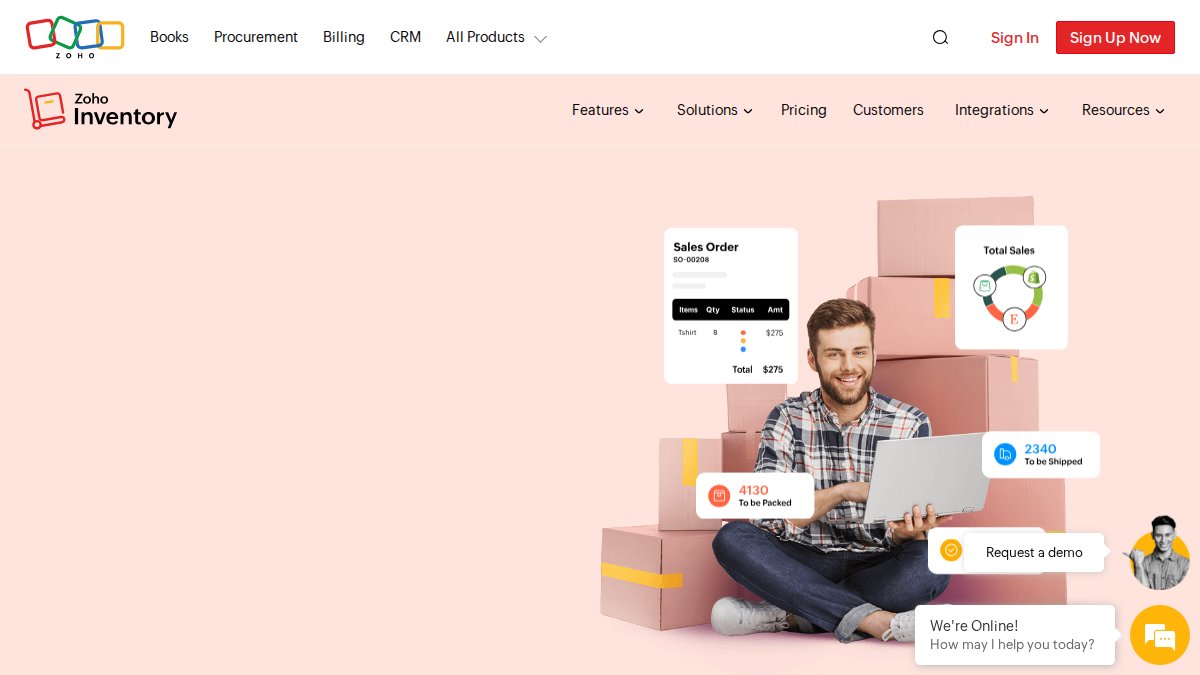
Multichannel syncing covers Amazon, eBay, and Shopify. Batch and serial number tracking, multi-warehouse management, barcode scanning, and automated reorder workflows are all included. The Zoho ecosystem integration (CRM, Books, Analytics) is genuinely useful if you’re running accounting and customer management through Zoho already.
The honest limitation: advanced features get locked behind higher tiers, and the per-organization pricing can escalate faster than the base plan suggests once you add users and warehouses.
Pros: Affordable, functional free tier, strong Zoho ecosystem integration
Cons: Advanced features require higher-tier plans; can feel limiting for complex operations
Cin7 Core, Best for Growing Businesses With Complex Fulfillment
At $349/month, Cin7 Core is not a small-business tool. It’s built for businesses that have outgrown basic inventory management and need manufacturing support, Bill of Materials (BOM) tracking, automated order routing, and deep multichannel synchronization in one platform.
The manufacturing module is genuinely strong. If you assemble products from components, Cin7 Core handles BOM management and production work orders in a way that most pure-play inventory tools don’t. B2B and DTC channels are supported simultaneously, which matters for brands selling wholesale and direct.
The pricing escalates with add-ons. Budget for more than the base plan if you need advanced reporting or additional integrations.
Pros: Excellent manufacturing and assembly features, flexible multichannel support
Cons: Pricing escalates quickly; overkill for businesses without complex fulfillment needs
Ordoro, Best for Dropshipping and Supplier Workflows
Ordoro’s strength is supplier management and dropshipping automation. The centralized dashboard handles multichannel order management, automated order routing to the correct supplier, shipping label generation, and real-time inventory tracking, all without requiring a dedicated operations team to configure it.
Starting at $59/month with a free plan available, Ordoro sits in a reasonable price range for growing businesses. The flexible plan structure with no rigid contracts is a genuine advantage, you can scale up during peak seasons and down afterward.
The limitation is depth. Advanced inventory features like demand forecasting and ABC analysis are gated behind higher tiers. For pure dropshipping operations, the core plan is often enough.
Pros: Excellent dropshipping workflow automation, no rigid contracts
Cons: Advanced features require higher tiers; not the deepest WMS option
SKULabs, Best WMS for High-Volume Operations
SKULabs is built for businesses running a real warehouse operation. Barcode-based pick, pack, and ship workflows. Real-time inventory sync across 100+ sales channels. AI-driven order fulfillment and demand forecasting. No per-label fees for major carriers including USPS, UPS, and FedEx.
At $299/month, it’s priced for businesses that will actually use the WMS capabilities. The transparent pricing model, no hidden per-label fees, is refreshing in a category where carrier fee structures often obscure true costs.
Pros: strong WMS capabilities, transparent pricing, 100+ channel integrations
Cons: Higher starting price makes it hard to justify for smaller operations
NetSuite, Best Enterprise ERP With Inventory Depth
NetSuite is an enterprise ERP, not just an inventory tool. End-to-end supply chain management, lot and serial tracking, bin management, global multi-location and multi-currency support, and deep integration with financials, procurement, and CRM. For businesses operating at scale across multiple geographies, it’s the most complete solution on this list.
The trade-off is complexity and cost. Implementation is a significant project. Pricing typically starts well above $999/month depending on module selection and user count. Businesses that don’t need the full ERP depth will find better value elsewhere.
Pros: Unmatched supply chain and financial depth, highly scalable
Cons: High implementation cost, significant complexity, overkill for most SMBs
Fishbowl, Best for QuickBooks-Dependent Manufacturers
Fishbowl’s defining feature is its QuickBooks integration. If your accounting team lives in QuickBooks and you need manufacturing capabilities, BOMs, work orders, multi-location tracking, barcode scanning, Fishbowl bridges that gap better than any other platform.
The honest critique: Fishbowl can feel dated compared to modern cloud-native platforms. The interface and workflow design reflect an older software generation. For businesses where QuickBooks integration is non-negotiable, that trade-off is worth it. For businesses without that constraint, newer platforms offer a better experience.
Pros: Best-in-class QuickBooks integration, strong manufacturing tracking
Cons: Interface feels dated; less suited for cloud-first operations
Total Cost of Ownership: What Inventory Software Actually Costs
The subscription price is the smallest part of what inventory software actually costs. Most businesses discover this six months into implementation, after the contract is signed and the implementation partner has already invoiced.

Most comparison guides list features and monthly prices and stop there. This section does something different: it maps the full cost structure across the platforms reviewed above so you can model first-year spend before committing.
The Six Cost Layers Every Buyer Needs to Model
1. Subscription fees (the visible layer)
Base plan pricing is what vendors advertise. What they don’t lead with: per-user fees, per-warehouse location fees, and per-sales-channel connection fees that stack on top of the base rate. Zoho Inventory’s $29/month base plan, for example, covers two users and one warehouse. A small team of five across two warehouse locations moves you to a higher tier before you’ve added a single integration. Cin7 Core’s $349/month base similarly scales with users and add-on modules. Always price the configuration your team will actually use, not the entry-level plan.
2. Implementation and setup (often the largest single cost)
Self-service platforms like Zoho Inventory and Ordoro are genuinely designed for owner-operators to configure without outside help. Budget one to two weeks of internal time for setup, data import, and integration testing.
Mid-market platforms like Cin7 Core and SKULabs frequently require implementation partners. Implementation projects for platforms in the $300-$500/month range commonly run between $3,000 and $15,000 depending on the number of integrations, data complexity, and whether custom workflows are needed. Enterprise platforms like NetSuite are a different category entirely, implementation is a multi-month project, and professional services costs routinely exceed the first year of subscription fees.
Always ask vendors for a reference customer of similar size and complexity who completed implementation without a paid partner. If they struggle to provide one, budget for outside help.
3. Data migration (the cost nobody budgets for)
Moving from spreadsheets is the easiest migration scenario. Moving from a legacy system like Fishbowl or an older version of a platform is significantly harder. Common cost drivers include:
- SKU data that was never standardized (duplicate entries, inconsistent naming conventions)
- Historical sales data that doesn’t map cleanly to the new system’s data model
- Open purchase orders and in-transit inventory that need manual reconciliation at cutover
- Supplier lead time and reorder point data that lives in someone’s head or a separate spreadsheet
For businesses with more than 500 active SKUs or more than two years of order history, budget at least 20-40 hours of internal time for data cleaning before migration begins. For businesses migrating from a legacy ERP, a data migration specialist is often worth the cost to avoid corrupting historical reporting.
4. Integration costs (the hidden variable)
Native integrations with Shopify, Amazon, and eBay are included in most platforms. Custom integrations, connecting to a 3PL’s proprietary system, a niche marketplace, or an older accounting platform, typically require API development work. Depending on complexity, custom integration projects range from a few hundred dollars for simple webhook connections to several thousand for bidirectional, real-time integrations with error handling.
Before signing, audit every system your new inventory platform needs to talk to and confirm whether the connection is native, available via a middleware tool like Zapier or Make, or requires custom development.
5. Training and productivity loss during transition
This cost is real but rarely quantified. A warehouse team of five switching from a familiar system to a new one will operate at reduced efficiency for two to four weeks during the learning curve. For high-volume operations, that productivity dip has a measurable cost in fulfillment speed and error rates.
Budget for structured training, not just access to a help center. Platforms like SKULabs and Cin7 Core offer onboarding packages; factor that cost into your comparison even if it’s optional.
6. Ongoing support tiers
Many platforms offer basic email support on entry-level plans and charge for phone or priority support. For operations where inventory software is mission-critical, meaning a system outage during a peak sales period is a serious business event, confirm what support tier you’re actually buying and what the response time SLA looks like.
TCO Comparison Across Platforms in This Guide
The table below models estimated first-year total cost for a representative small-to-mid-size ecommerce business: five users, two warehouse locations, three sales channels, migrating from spreadsheets.
| Platform | Year-1 Subscription | Est. Implementation | Est. Migration | Approx. First-Year TCO |
|---|---|---|---|---|
| Embed360 | Free-low monthly | Minimal (self-service) | Low (Etsy catalog sync) | Low |
| Zoho Inventory | ~$350-$700 | Self-service, minimal | Low-moderate | Low-moderate |
| Ordoro | ~$700-$1,200 | Self-service, minimal | Low-moderate | Low-moderate |
| Cin7 Core | ~$4,200+ | Moderate-high (partner often needed) | Moderate | Moderate-high |
| SKULabs | ~$3,600+ | Moderate (onboarding package available) | Moderate | Moderate |
| NetSuite | Contact for pricing | High (multi-month project) | High | High |
| Fishbowl | Contact for pricing | Moderate-high | Moderate | Moderate-high |
Note: Ranges are illustrative based on published pricing tiers and commonly reported implementation patterns. Your actual costs will vary based on team size, integration complexity, and data quality.
The platforms that look expensive on a per-month basis often have lower total first-year costs when implementation simplicity is factored in. A $29/month tool that takes three weeks to configure correctly and requires a data cleanup project can cost more in real terms than a $299/month tool with a structured onboarding process that gets you operational in five days.
AI-Driven Predictive Analytics and What to Expect From It
AI-driven predictive analytics in inventory software is real, but it’s worth calibrating expectations. The honest picture: most platforms market "AI forecasting" as a headline feature, but the quality varies enormously based on how much historical data the system has to work with and how well the model is configured for your specific SKU mix.
For businesses with at least 12-18 months of sales history and a relatively consistent SKU catalog, AI demand forecasting delivers genuine value. It identifies seasonal patterns that manual reorder points miss, flags SKUs trending toward dead stock before they tie up cash, and adjusts reorder recommendations dynamically as sales velocity changes, something static safety stock settings cannot do.
The mechanism matters here. Most platforms use time-series forecasting models that weight recent sales more heavily than older data. That works well for stable products with predictable seasonality. It works less well for new SKUs, highly promotional products where sales spikes are driven by discounts rather than organic demand, or categories with long and irregular purchase cycles.
For newer businesses or those with highly variable catalogs, rule-based reorder points and manually set safety stock often outperform AI recommendations until sufficient data accumulates. The practical threshold most practitioners cite is roughly 90-180 days of consistent sales data per SKU before forecasting outputs become reliably actionable.
SKULabs includes AI-driven order fulfillment and demand forecasting as part of its core WMS offering. NetSuite’s demand planning module is more sophisticated and supports statistical forecasting methods including moving averages and exponential smoothing, but it requires proper configuration and clean historical data to produce reliable outputs, it does not work well out of the box on a fresh implementation.
Don’t assume AI forecasting works out of the box. Most platforms require a minimum data history to generate reliable predictions. Activating forecasting on a new account with sparse data often produces misleading reorder recommendations that can cause over-purchasing on slow SKUs or under-purchasing on fast ones.
How to Choose Inventory Management Software for Your Business
Most buying guides tell you to "consider your needs" and then hand you a feature checklist. That’s not a decision framework, it’s a way of avoiding one. The choice of inventory software is actually determined by a small number of concrete variables. Get those right and the shortlist writes itself.
The Four Variables That Actually Drive the Decision
Variable 1: Fulfillment model
How you fulfill orders determines which feature set matters most. The three common models and what they require:
- Self-fulfilled from your own warehouse or home: You need real-time stock tracking, reorder automation, and multichannel sync. WMS features like barcode scanning matter once you’re shipping more than 200-300 orders per month. Below that threshold, you’re paying for complexity you won’t use.
- Third-party logistics (3PL): Your inventory software needs a reliable integration with your 3PL’s system. Native integrations are strongly preferable to custom API work here, a broken 3PL connection during peak season is a serious operational failure. Confirm the integration is bidirectional: your platform should receive real-time stock updates from the 3PL, not just send orders to it.
- Dropshipping: Supplier feed management, automated order routing, and real-time supplier availability updates are the critical features. Ordoro is purpose-built for this model. Most WMS-heavy platforms treat dropshipping as an afterthought.
Variable 2: Channel complexity
The number of sales channels and the types of channels you operate on determine how much synchronization infrastructure you need.
- One or two channels with the same platform (e.g., Shopify storefront plus Shopify POS): Almost any tool handles this. Don’t over-invest.
- Three or more channels across different platforms (Shopify, Amazon, eBay, and a wholesale portal): You need a platform with proven, native integrations on all of them, not just listed as "supported." Ask vendors for the sync frequency and what happens when a channel’s API is temporarily unavailable. Does the system queue updates or drop them?
- Marketplace-first sellers (Etsy, Amazon Handmade, eBay as primary channels): The integration needs to handle marketplace-specific data fields, Etsy’s variation structure, Amazon’s ASIN mapping, eBay’s item specifics, not just push a generic product record.
Variable 3: SKU count and catalog complexity
SKU count is a better proxy for software complexity than revenue. A business with 50 SKUs and $2M in revenue has simpler inventory needs than a business with 2,000 SKUs and $400K in revenue.
- Under 500 SKUs: Entry-level and mid-tier platforms handle this comfortably. Focus on ease of use and integration quality over feature depth.
- 500-5,000 SKUs: Variant management, bulk editing, and import/export tooling become important. Test these workflows during your trial, not after you’ve committed.
- 5,000+ SKUs: You need a platform built for catalog scale. Batch operations, API access for programmatic catalog management, and robust search and filtering within the inventory interface are non-negotiable at this scale.
Variable 4: Team size and technical capacity
The most feature-rich platform is worthless if your team can’t operate it. Be honest about your internal technical capacity:
- Solo operator or small team without a dedicated operations manager: Prioritize self-service setup, clean UI, and strong documentation. Cin7 Core and NetSuite are powerful but require real configuration investment.
- Team with a dedicated operations or warehouse manager: You can absorb more complexity and benefit from deeper WMS and reporting features.
- Enterprise with an IT team: Full ERP platforms like NetSuite become viable and appropriate.
Questions to Ask Every Vendor Before You Buy
Most buyers evaluate software through demos and feature lists. The questions that actually reveal fit are the ones vendors don’t lead with:
- What is the actual sync frequency for inventory updates across channels? "Real-time" means different things to different vendors. Some update every 15 minutes. Some update within seconds. During a flash sale, that difference matters.
- What happens when a channel API goes down? Does the system queue updates and apply them when the connection restores, or do those updates get dropped?
- How does the platform handle a SKU that exists on multiple channels with different identifiers? (e.g., your internal SKU, an Amazon ASIN, an eBay item number, and a Shopify variant ID all referring to the same physical product)
- What does the data migration process look like for a business our size? Ask for a specific timeline and who owns each step.
- What is the escalation path if we have a critical issue during peak season? Get the support SLA in writing.
- What does the contract look like for scaling up and down? Some platforms lock you into annual commitments at a specific user or order volume tier. If your business is seasonal, that matters.
Decision Framework by Business Profile
Etsy sellers expanding to multichannel (any revenue size):
Embed360 is the purpose-built solution. The real-time sync across Shopify, social commerce, and Google Shopping eliminates the manual listing work that kills most expansion attempts. The AI-powered listing optimization through Listings Genie means your products are adapted for each channel’s search algorithm, not just copy-pasted from your Etsy store.
Small businesses under $500K annual revenue, 1-2 channels, self-fulfilled:
Start with Zoho Inventory’s free tier. Don’t pay for WMS features you won’t use for two years. Upgrade within Zoho when you hit the limits of the free plan rather than switching platforms.
Growing businesses $500K-$5M, 3+ channels, own fulfillment:
Ordoro if dropshipping is part your model. Cin7 Core if you have manufacturing, assembly, or complex B2B workflows. Budget for implementation time on Cin7 Core, it is not a self-service setup.
High-volume operations $5M+, warehouse team, complex routing:
SKULabs for WMS-first operations where barcode-based pick-pack-ship and carrier cost optimization are the priority. NetSuite if you need the full ERP stack and have the implementation budget and internal resources to support it.
Migrating From Spreadsheets or a Legacy System: What to Prepare
Migration is where most implementations go wrong, and it’s the part of the buying process that comparison guides consistently skip. The failure mode is predictable: businesses underestimate data quality issues in their source system, rush the cutover to meet an arbitrary go-live date, and spend the first three months in the new system correcting errors that should have been caught before migration.
The migration process has four distinct phases, and each one has a common failure point:
Phase 1: Data audit and cleanup (before you touch the new system)
This is the phase most businesses skip or compress. Before migrating anything, you need to know what you’re working with:
- Audit all SKUs for duplicate entries, naming inconsistencies, and retired products that are still in the system
- Verify current stock counts against a physical inventory count, do not migrate counts you haven’t verified
- Document all supplier lead times, minimum order quantities, and reorder points (if they exist anywhere)
- Identify SKUs with variants and confirm the variant structure is consistent and complete
- Flag any SKUs with special tracking requirements (serial numbers, batch/lot numbers, expiration dates)
For businesses migrating from spreadsheets, this phase typically takes one to two weeks. For businesses migrating from a legacy system with years of accumulated data, budget more.
Phase 2: System configuration (before importing data)
Configure the new platform’s structure before you import a single SKU. This means:
- Set up warehouse locations and bin structures if applicable
- Configure sales channel connections and confirm sync is working with test products
- Set up user accounts and permission levels
- Configure accounting integration and confirm the chart of accounts mapping
- Define your inventory valuation method (FIFO, LIFO, weighted average), this is much harder to change after you have transaction history
Phase 3: Data import and validation
- Import products in batches, not all at once, validate each batch before proceeding
- Import historical sales data if the platform supports it and you need it for forecasting
- Import open purchase orders and confirm they map correctly to supplier records
- Run a reconciliation between your old system and the new one before go-live
Phase 4: Parallel run and cutover
The parallel-run period, operating both systems simultaneously for one to two weeks before fully cutting over, is the step most businesses skip to save time. It is also the step that prevents the most expensive mistakes. During a parallel run, you catch sync failures, mapping errors, and workflow gaps in a controlled environment rather than discovering them during a peak sales period.
- Run both systems in parallel for at least one full business week
- Process a sample of real orders through the new system and verify the inventory deductions are correct
- Confirm all channel integrations are updating correctly in both directions
- Train your team on the new system before go-live, not during it
- Define a rollback plan, know exactly what you’ll do if a critical issue emerges in the first 48 hours after cutover
The single most common migration failure is going live on a Monday of a high-volume week. Schedule your cutover for a low-volume period, mid-week in a slow month, so your team has time to stabilize the new system before volume picks up.
Industry-Specific Use Cases Worth Knowing
Inventory management software features that matter vary significantly by industry. The generic comparison lists don’t capture this well.
Food and beverage: Batch tracking, expiration date management, and FIFO are non-negotiable. Lot tracking for recall management is a compliance requirement in most markets. Zoho Inventory and Cin7 Core both handle this. Basic platforms often don’t.
Electronics and serialized goods: Serial number tracking at the unit level is essential for warranty management and theft prevention. SKULabs and NetSuite handle this well. Most entry-level tools treat serial tracking as an add-on.
Apparel and accessories (including Etsy handmade sellers): The challenge is variant management, size, color, material combinations that multiply SKU counts rapidly. Embed360’s real-time sync is particularly valuable here because updating a price or availability across 50 variants manually across six channels is genuinely painful.
Manufacturing and wholesale: BOM support, work order management, and B2B order workflows narrow the field quickly to Cin7 Core, Fishbowl, and NetSuite. Most pure-play ecommerce inventory tools don’t touch manufacturing.
The right inventory software for a food brand looks nothing like the right tool for a handmade goods seller. Matching the platform to the actual operational requirements, not just the feature checklist, is the decision that determines whether implementation succeeds.
As noted in Gartner’s guide to inventory optimization software, industry-specific requirements are the most common reason businesses replace inventory software within two years of initial deployment.
Managing inventory across multiple channels gets complicated fast, and the wrong tool makes it worse. Embed360 is built specifically for sellers who want to expand beyond Etsy without the operational chaos, syncing listings, pricing, and inventory across Shopify, WordPress, social media, and Google Shopping automatically. The AI-powered listing optimization through Listings Genie means your products are positioned to perform on every channel, not just copy-pasted from your Etsy store. Create a free account with Embed360 and start selling across channels without the manual update headaches.
Frequently Asked Questions
What is ecommerce inventory management software?
Ecommerce inventory management software is a tool that tracks stock levels, manages SKUs, syncs inventory across sales channels, and automates reordering. It gives sellers a centralized dashboard to prevent stockouts, avoid overselling, and maintain accurate inventory counts in real time, whether you sell on Shopify, Amazon, Etsy, or your own website. Most platforms also handle order fulfillment, demand forecasting, and warehouse management from a single interface.
Do I need inventory management software for my small ecommerce business?
If you sell across more than one channel or manage more than a handful of SKUs, inventory management software is worth considering. Spreadsheets break down quickly when you're dealing with multichannel sales, varying lead times, and safety stock calculations. Even lightweight tools like Zoho Inventory or Embed360 can eliminate manual updates, reduce dead stock, and improve cash flow, making them practical for small businesses, not just enterprise operations.
What features should I look for in inventory management software?
The most important inventory management software features include real-time synchronization across sales channels, reorder point automation, barcode scanning or RFID support, demand forecasting, and API integration with your existing platforms. For multichannel sellers, look for batch tracking, serial number tracking, FIFO support, and a centralized dashboard. If you sell on Etsy or Shopify, also prioritize tools that handle POS integration and automated feed updates for Google Shopping and social channels.
How much does ecommerce inventory management software cost?
Pricing varies widely based on business size and feature depth. Entry-level tools like Zoho Inventory start around $29/month, mid-market platforms like Ordoro start at $59/month, and robust systems like Cin7 Core start at $349/month. Enterprise solutions like NetSuite typically start above $999/month. Always factor in total cost of ownership, including onboarding, add-ons, and per-user fees, not just the base subscription price. Many platforms, including Embed360, offer a free plan to get started.
How does inventory management software integrate with online stores like Shopify or Amazon?
Most ecommerce inventory management software connects to sales channels via API integration or native connectors. Once linked, the software syncs stock levels, pricing, and product listings in real time across platforms like Shopify, Amazon, eBay, and social shops. This prevents overselling and eliminates manual updates. Tools like Embed360 go further by also syncing images and AI-optimized listing content, while platforms like SKULabs support 100+ channel integrations for high-volume multichannel operations.
