How to Turn Your Website Into a Sales Channel

A website can function as more than a digital brochure when it is structured to support discovery, evaluation, and purchase. How to Turn Your Website Into a Sales Channel starts with treating your site as an operational extension of your storefront rather than a static destination. When products are consistently displayed, kept current, and connected to clear actions, visitors are more likely to move from browsing to buying.
The approach outlined below focuses on practical steps that improve visibility, consistency, efficiency, and conversions. These steps apply whether products originate from a marketplace, a catalog feed, or a managed inventory system.
Align Your Website Structure With Buying Behavior
Effective sales-oriented websites are organized around how visitors look for products. Categories, collections, and featured sections should mirror common browsing patterns. This includes placing product groups near supporting content and ensuring navigation paths remain predictable.
On-site product display plays a central role here. Listings should appear within the site’s native layout, not as disconnected links. Embedded displays allow visitors to remain on the site while viewing details, pricing, and availability, reducing friction during exploration.
Maintain Accurate and Consistent Product Data
Outdated pricing, missing images, or inconsistent descriptions can disrupt trust. A sales-focused site depends on synchronized product data across all channels. When updates are made once and reflected everywhere, maintenance time decreases and accuracy improves.
Product importing tools support this process by pulling listings from sources such as Google or Facebook catalogs into a central system. This ensures that product information remains aligned between external marketplaces and the website itself. Consistency also helps visitors recognize products they may have seen elsewhere.
Optimize Listings for On-Site Performance
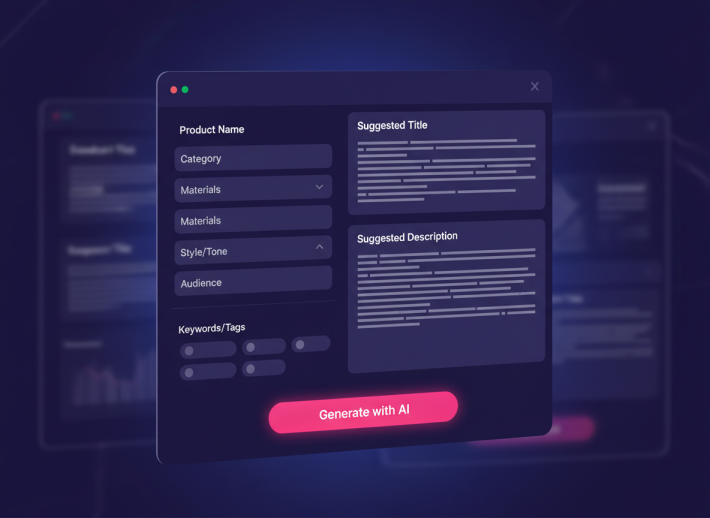
Listings should be formatted for clarity and scannability. Titles, images, and key attributes need to be visible without requiring excessive clicks. Listing optimization tools help standardize these elements across multiple products while adapting them to on-site presentation requirements.
A structured workflow for listings optimization makes it easier to manage large catalogs and apply updates efficiently. When product information is uniform, visitors can compare items quickly and make informed decisions without leaving the page.
Clear titles and images presented in a consistent layout
Descriptions structured for quick review
Pricing and availability displayed prominently
Calls to action placed within natural viewing paths
Integrate External Channels Without Fragmentation
Websites often coexist with marketplace storefronts and social platforms. Rather than treating these as separate efforts, integration allows each channel to support the others. Product importing from platforms like Google or Facebook ensures that catalog changes remain aligned.
When products are embedded directly on the site, external discovery channels act as feeders into the primary sales environment. Visitors arriving from ads or social posts encounter familiar products in a controlled layout, which supports continuity.
Centralize Management to Improve Efficiency
Managing products across multiple platforms can become time-consuming without a centralized system. A single dashboard for imports, listings, and display settings simplifies daily operations. Updates made in one place propagate across the website and connected channels.
Embed360 provides a centralized environment where sellers can manage product importing, listing optimization, and on-site display from one interface. This approach reduces repetitive tasks and helps maintain consistency as catalogs grow.
Design Pages That Support Conversion Flow
Sales-focused pages guide visitors through a logical sequence: awareness, evaluation, and action. Product pages should be placed near supporting content such as FAQs, policies, or usage guidance. This keeps visitors informed without navigating away from the buying path.
Embedded listings also allow product grids to appear within blog posts, landing pages, or category sections. This contextual placement connects content with products, supporting natural transitions from reading to browsing.
Use Analytics to Refine Placement and Presentation
Once products are integrated into the site, performance data helps guide refinements. Page views, interaction rates, and navigation paths indicate which sections attract attention and which require adjustment. Small layout changes can improve clarity and reduce abandonment.
Centralized dashboards simplify this review process by showing product performance in one place. Adjustments can then be applied across listings without manual edits on each page.
Establish Repeatable Processes for Scaling
As catalogs expand, repeatable workflows become essential. Standardized importing, consistent listing templates, and reusable display sections support growth without increasing complexity. This structure allows sellers to add products or channels without reworking the site.
Using a unified system like Embed360 supports these processes by keeping tools and data connected. Sellers can focus on refining presentation and managing inventory rather than maintaining multiple disconnected systems.
To begin applying these steps, access your dashboard and review your current product display and import settings at https://app.embed360.co.