
No Code Tools for Ecommerce Sellers: 2026 Guide

Table of Contents
- What Are No-Code Tools and Why Do Ecommerce Sellers Need Them?
- Key Factors to Consider When Choosing No Code Tools for Ecommerce Sellers
- Best No-Code Platforms for Ecommerce: Comparison Table and Reviews
- Embed360: Multi-Channel Syncing and AI Listing Optimization
- Shopify Flow: Native Automation for Shopify Merchants
- Zapier: Connecting Your Entire Ecommerce Tech Stack
- Webflow: Design-First Storefront Building
- Bubble: Full-Stack No-Code for Custom Marketplaces
- Airtable: Database-Driven Inventory and Order Management
- Make: Advanced Visual Workflow Automation
- Glide: Mobile-First Internal Operations Apps
- Carrd: The Fastest No-Code Landing Page Builder
- Ecommerce Workflow Automation Examples You Can Build Without Code
- How to Automate Your Ecommerce Business Without Coding: A Step-by-Step Approach
- No-Code vs Custom Development for Ecommerce: Which Path Is Right for You?
- Post-Launch Maintenance, Security, and Industry-Specific Stacks
- Which No-Code Tool Should Ecommerce Sellers Choose?
- Conclusion
Last Updated: May 25, 2026
Running an online store without a developer used to mean accepting serious limitations. No code tools for ecommerce sellers have changed that equation entirely, giving non-technical founders the ability to build storefronts, automate order workflows, sync inventory across channels, and launch marketing campaigns without writing a single line of code. This guide from Embed360 covers the best platforms available in 2026, how to choose between them, and the workflows you can build today. Below, we’ll show you exactly how to match each tool to your specific operation, plus two angles most listicles completely skip: what happens after launch, and when you should actually consider moving off no-code.
Here’s what most guides get wrong: they treat all no-code tools as interchangeable. They’re not. A tool that’s perfect for building a custom marketplace is a terrible choice for syncing product feeds across five sales channels. The distinction matters, and we’ll make it clear.
What Are No-Code Tools and Why Do Ecommerce Sellers Need Them?
No-code tools are software platforms that replace hand-written code with visual editors, drag-and-drop interfaces, and pre-built logic blocks, allowing anyone to build functional applications, automations, and storefronts without programming knowledge.
For ecommerce sellers, the value is immediate. Hiring a developer to build a custom inventory sync or automate abandoned cart emails costs time and money that most small operations don’t have. No-code platforms collapse that gap. A seller can prototype a new checkout flow in an afternoon, test it, and iterate without waiting on a development sprint.
Benefits of No-Code for Ecommerce Entrepreneurs
The practical benefits go beyond speed:
- Lower barrier to entry. Sellers can build and launch an MVP storefront or automation without technical co-founders.
- Faster iteration. Testing a new product page layout or workflow takes hours, not weeks.
- Reduced operational costs. Many no-code platforms cost a fraction of custom development, and several offer free tiers.
- Ownership and control. Sellers manage their own tools without depending on a developer to make changes.
- Scalable automation. Workflow automation tools handle repetitive tasks like order tagging, inventory alerts, and customer segmentation at scale.
The one thing to watch: no-code isn’t zero-maintenance. Platforms update, integrations break, and pricing changes. Factor that into your planning from day one.
Start with one no-code tool that solves your biggest bottleneck, not three tools that each solve minor problems. Most sellers see the fastest ROI by automating their single most repetitive task first.
Key Factors to Consider When Choosing No Code Tools for Ecommerce Sellers
Not every platform deserves a spot in your stack. The mistake most sellers make is evaluating tools on feature lists instead of on operational fit. Before you commit to a free trial, run each option through these filters, and pay attention to the specific thresholds and failure modes that generic guides skip.
Ease of Use and Learning Curve
The learning curve separates tools that actually get used from tools that collect dust. But ‘easy to use’ is not a binary. There are three distinct levels of no-code complexity, and mismatching your skill level to the wrong tier is the most common reason sellers abandon tools after two weeks:
- Tier 1, Truly beginner-friendly: Carrd, Glide, and Shopify Flow. You can build a working prototype of your core use case within 90 minutes of signing up. No documentation required for basic functionality.
- Tier 2, Moderate ramp: Zapier, Airtable, Webflow, and Embed360. Expect two to four hours to get a first working workflow or storefront. The interfaces are visual, but the underlying logic (relational data, multi-step triggers, CMS structures) requires deliberate learning.
- Tier 3, Significant investment: Bubble and Make. Both are genuinely powerful, but advanced features require understanding concepts like data types, API authentication, and workflow branching. Budget one to two weeks before building anything production-ready.
A practical self-test: open a free account and try to replicate your single most important use case without reading any documentation. If you’re stuck after 90 minutes, the tool is either too complex for your current skill level or poorly designed for your use case. Both are valid reasons to look elsewhere.
Integrations, API Access, and Scalability
Your no-code tool doesn’t live in isolation. It needs to talk to your payment gateways, email platform, inventory system, and ad channels. Most guides tell you to ‘check integrations.’ Here’s what to actually check:
1. Native integrations vs. middleware dependency
A native integration means the two platforms communicate directly, with no third-party connector in the middle. A middleware-dependent integration (routed through Zapier or Make) adds a failure point and a cost layer. For your highest-frequency workflows, the ones that run hundreds of times per day, native integrations are meaningfully more reliable. Middleware is fine for low-frequency tasks.
2. API access tier
Many no-code platforms gate API access behind higher pricing tiers. Before committing, confirm: (a) which tier unlocks API or webhook access, and (b) whether that tier fits your budget. Platforms that lock API access entirely, with no path to connect custom endpoints, are a long-term liability.
3. Scalability ceilings and what happens when you hit them
Every platform has limits. The question isn’t whether limits exist, it’s what happens when you hit them. Some platforms throttle performance gracefully. Others fail silently, dropping records or skipping automation triggers without alerting you. Before committing to any platform for a business-critical workflow, test what happens at the boundary of your expected volume. Common limits to check:
| Limit Type | What to Check | Why It Matters |
|---|---|---|
| Task or operation count | Monthly cap on automation runs | Overage costs can spike unexpectedly during peak seasons |
| Record or row count | Database row limits per plan | Catalogs with thousands of SKUs hit these faster than expected |
| API call rate | Calls per minute or per day | High-frequency sync tools can exhaust rate limits during flash sales |
| User seats | Per-seat pricing vs. flat rate | Matters when you add warehouse staff or VAs to internal tools |
4. Data portability, evaluate this before you build, not after
This is the factor most sellers ignore until it’s too late. If you ever need to migrate off a platform, can you export your data in a portable format (CSV, JSON, or via API)? Platforms with proprietary data structures that don’t offer clean exports create genuine vendor lock-in. Check the export options in the free tier before building anything significant. Webflow, Airtable, and Bubble all offer reasonable data export paths. Some simpler website builders do not.
Avoid building critical business logic, customer records, order history, [product](/how-to-optimize-product-listings-for-better-conversions/) catalog, inside a platform that doesn’t export data in a portable format. If you ever need to migrate, proprietary data structures can cost you weeks of manual reconstruction work and put your business continuity at risk.
Pricing Structure and Total Cost of Ownership
Sticker price is rarely the real cost. Evaluate total cost of ownership across three dimensions:
Base subscription cost: Compare plans at the volume you expect in six months, not today. Most sellers underestimate growth and get caught by tier jumps.
Overage and add-on costs: Automation platforms like Zapier charge per task. At low volumes, the free tier is genuinely useful. At high volumes, thousands of orders per month, task costs can exceed the base subscription. Run the math at your projected peak volume before committing.
Integration stack cost: No single tool does everything. Factor in the combined monthly cost of your full stack: storefront builder + automation tool + email platform + inventory management. A tool that looks cheap in isolation may push your total stack cost above what a more integrated (but pricier) platform would cost.
Before signing up for any paid plan, map your full intended stack and add up the combined monthly cost. Many sellers discover that three ‘affordable’ tools cost more together than one mid-tier platform that handles all three functions natively.
Mobile Responsiveness and Customer-Facing Performance
For any tool that produces a customer-facing storefront or product page, mobile responsiveness is non-negotiable. The majority of ecommerce traffic arrives on mobile devices, and Google’s Core Web Vitals scores, which directly influence search ranking, are measured on mobile by default.
When evaluating storefront builders, test the mobile output specifically:
- Load the demo or template on an actual mobile device, not just a browser resize
- Check image loading speed on a standard mobile connection
- Verify that checkout flows are touch-friendly and don’t require horizontal scrolling
Webflow produces clean, responsive code that performs well on Core Web Vitals. Carrd templates are lightweight and load fast. Some drag-and-drop builders produce bloated HTML that scores poorly on performance metrics, which hurts both conversion rates and organic search visibility.
Best No-Code Platforms for Ecommerce: Comparison Table and Reviews
The market for no-code ecommerce tools has matured significantly. Here’s how the leading platforms stack up across the criteria that actually matter for sellers.

| Tool | Starting Price | Best For | Free Tier | Key Strength |
|---|---|---|---|---|
| Embed360 | See pricing page | Multi-channel Etsy sellers | Yes | Real-time sync + AI listing optimization |
| Shopify Flow | Included with Shopify | Shopify backend automation | Yes | Native Shopify integration |
| Zapier | ~$20/month | Connecting disparate apps | Yes | 8,000+ app integrations |
| Webflow | ~$29/month | Design-led storefronts | Yes | Unmatched design control |
| Bubble | ~$29/month | Custom marketplaces | Yes | Full-stack no-code logic |
| Airtable | ~$20/seat/month | Inventory and order management | Yes | Flexible relational database |
| Make | ~$9/month | Complex workflow automation | Yes | Cost-effective high-volume tasks |
| Glide | ~$49/month | Internal mobile apps | Yes | Spreadsheet-to-app speed |
| Carrd | ~$19/year | Single-product landing pages | Yes | Fastest launch time |
Embed360: Multi-Channel Syncing and AI Listing Optimization
Embed360 is the top pick for Etsy sellers who want to expand beyond the marketplace without rebuilding their entire operation from scratch. The platform handles real-time syncing of listings, images, pricing, and inventory across WordPress, Shopify, Wix, Squarespace, social media, and Google Shopping simultaneously. When you update a price on Etsy, every connected channel reflects that change automatically.
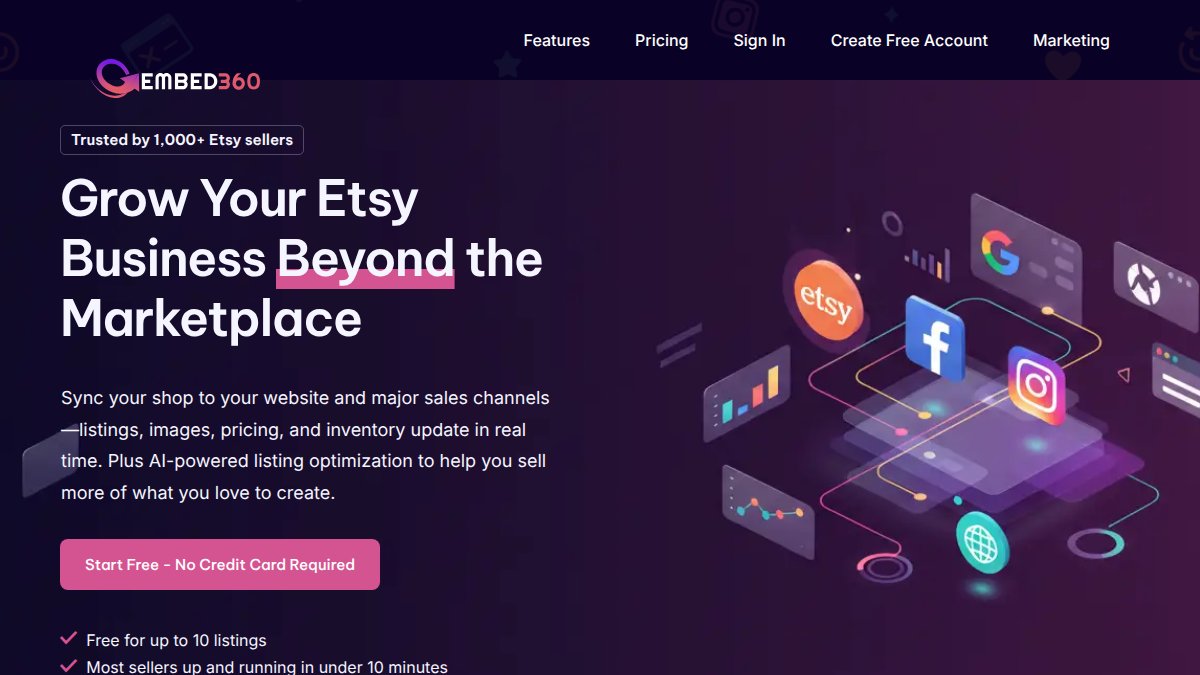
What separates Embed360 from generic sync tools is the AI-powered listing optimization. The platform generates conversion-focused product titles and descriptions, which matters because Etsy search ranking depends heavily on listing quality. One-click setup for Facebook and Instagram shops removes the technical friction that keeps most sellers on a single channel.
Best for: Etsy sellers ready to build a multi-channel digital presence without hiring a developer.
Pros:
- Real-time inventory and pricing sync across all connected channels
- AI-powered listing optimization for titles and descriptions
- One-click Facebook and Instagram shop setup
- Automatic Google Shopping feed updates
- Free plan available
Cons:
- Primarily designed for Etsy-first sellers; less suited for sellers starting on other platforms
Pricing is available on the Embed360 pricing page, and a free plan lets you test the core functionality before committing.
Shopify Flow: Native Automation for Shopify Merchants
Shopify Flow is the right answer if you’re already on Shopify and want to automate backend tasks without adding another subscription. The visual drag-and-drop workflow builder handles conditional logic (if/then/else), making it possible to auto-tag high-value customers, trigger restock alerts, or pause ad campaigns when inventory drops below a threshold.

The limitation is real: Flow only works within the Shopify ecosystem. If your stack includes tools outside Shopify’s native integrations, you’ll hit a wall quickly.
Pros: Seamless native integration, no additional cost for most Shopify plans
Cons: Limited to Shopify; can’t automate cross-platform workflows
Zapier: Connecting Your Entire Ecommerce Tech Stack
Zapier is the connective tissue of most ecommerce tech stacks. With integrations for over 8,000 apps, it handles the workflows that no single platform covers natively: pushing new Shopify orders into a Google Sheet, sending Slack alerts when inventory drops, or adding customers to an email sequence after purchase.
The free tier is genuinely useful for low-volume automation. The cost scales with task volume, though, so high-frequency workflows can get expensive. For complex, branching logic at scale, Make is usually more cost-effective.
Pros: Massive integration library, extremely accessible for non-technical users
Cons: Costs rise quickly with high task volumes
Webflow: Design-First Storefront Building
Webflow occupies a unique position: it’s the most design-flexible no-code storefront builder available, producing clean production-ready code that developers can extend if needed. The CMS handles product management well, and the built-in SEO tools are more capable than most competitors.
The learning curve is steeper than Shopify or Squarespace. Expect to spend a week getting comfortable with the interface before building anything production-ready. For brands where visual differentiation is a core competitive advantage, that investment pays off.
Pros: Unmatched design flexibility, clean code output, strong SEO tools
Cons: Steeper learning curve; not ideal for sellers who need to launch quickly
Bubble: Full-Stack No-Code for Custom Marketplaces
Bubble is the tool for sellers who need something that doesn’t exist yet. Building a custom rental marketplace, a B2B wholesale portal, or a subscription box platform with unique logic? Bubble handles backend database management, user authentication, payment processing via Stripe, and complex conditional logic, all without code.
The trade-off is setup time. Bubble’s visual programming environment is genuinely powerful, but advanced features require a real learning investment. Budget at least two to four weeks to build anything beyond a basic prototype.
Pros: Highly scalable, capable of full-stack application logic
Cons: Significant learning curve; overkill for simple storefronts
Airtable: Database-Driven Inventory and Order Management
Airtable solves a specific problem that most ecommerce tools ignore: organizing complex, relational data. Product catalogs with hundreds of SKUs, supplier relationships, purchase orders, and fulfillment tracking all live comfortably in Airtable’s flexible database structure.
The Kanban and Gallery views make it easy to visualize inventory status at a glance. Native integrations with Shopify, Square, and Stripe mean order data flows in automatically. What Airtable isn’t: a storefront builder. Use it as your operational backbone, not your customer-facing shop.
Pros: Extremely flexible data management, great for complex product catalogs
Cons: Not a storefront; requires pairing with other tools for customer-facing functions
Make: Advanced Visual Workflow Automation
Make (formerly Integromat) is the automation tool that power users graduate to when Zapier gets expensive. The visual workflow builder maps data flows between apps graphically, making it easier to debug complex multi-step automations. At roughly $9/month for paid plans, it’s significantly more cost-effective for high-volume tasks.
Pros: Highly flexible automation, cost-effective at scale, 3,000+ app integrations
Cons: Steeper setup complexity than Zapier for beginners
Glide: Mobile-First Internal Operations Apps
Glide turns a Google Sheet or Excel file into a functional mobile app in minutes. For ecommerce sellers managing warehouse staff, tracking pick-and-pack operations, or giving team members mobile access to order data, Glide is the fastest path to a custom internal tool.
Pros: Extremely fast to build, beautiful mobile UI, role-based access control
Cons: Best for internal tools; not suited for public-facing storefronts
Carrd: The Fastest No-Code Landing Page Builder
Carrd is the answer when you need to launch a product page today, not next week. At roughly $19 per year for Pro plans, it’s the most affordable option on this list. Stripe, Gumroad, and Lemon Squeezy integrations handle payments. Custom domain support makes it look professional.
The constraint is structural: Carrd builds one-page sites. It’s not a full ecommerce platform. Use it for single-product launches, pre-launch waitlists, or lead capture pages.
Pros: Incredibly affordable, fastest launch time available
Cons: Limited to one-page sites; no multi-product catalog support
Ecommerce Workflow Automation Examples You Can Build Without Code
The most valuable thing about no-code tools isn’t any single platform. It’s what you can build by combining them. Here are workflows that ecommerce sellers are running in 2026 without writing a single line of code:
- Low-stock alerts: Airtable monitors inventory levels and triggers a Slack message (via Zapier) when any SKU drops below a reorder threshold.
- Post-purchase email sequences: Shopify Flow tags customers by purchase category, and those tags trigger segmented email flows in Klaviyo.
- Multi-channel listing sync: Embed360 pushes updated product listings, prices, and images to WordPress, Wix, and Google Shopping the moment you save a change on Etsy.
- Abandoned cart recovery: Zapier connects Shopify to your email platform, triggering a recovery sequence when a cart is abandoned for more than 60 minutes.
- Supplier order tracking: Airtable tracks purchase orders with a Kanban view, automatically updating status fields when supplier confirmation emails arrive (via Make).
- New order Slack notifications: Zapier sends a formatted Slack message for every new order above a set value, keeping the team informed in real time.
These aren’t hypothetical. Each workflow uses tools covered in this guide, and most can be set up in under two hours.
How to Automate Your Ecommerce Business Without Coding: A Step-by-Step Approach
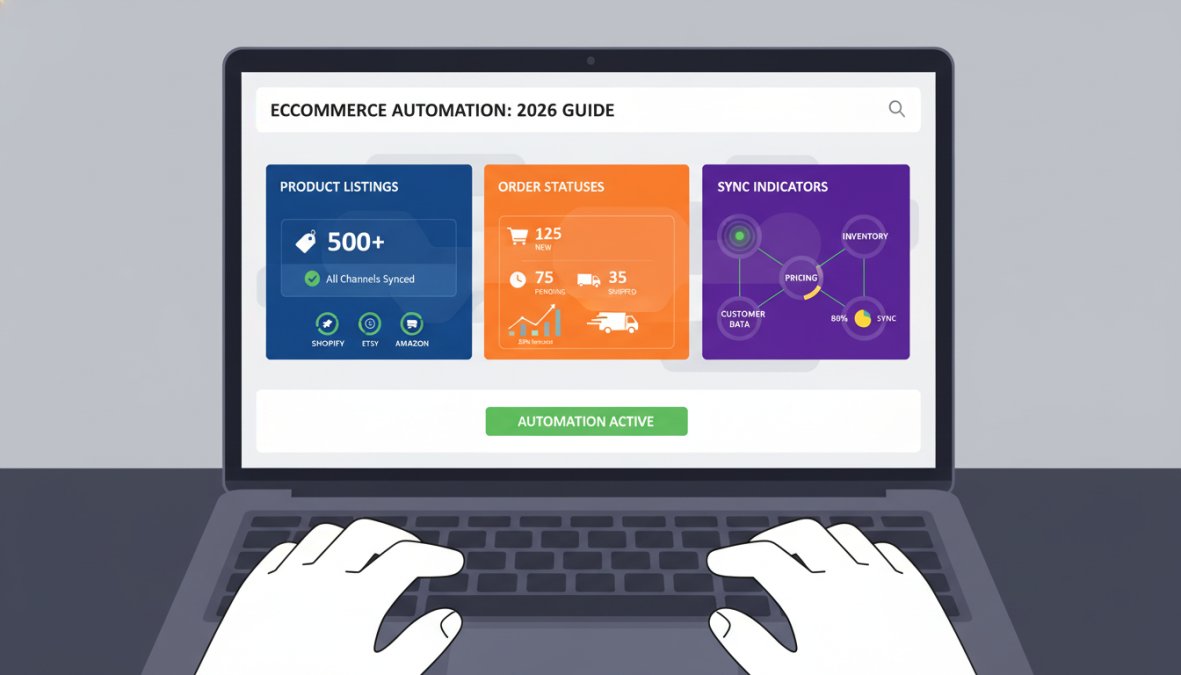
Knowing how to automate your ecommerce business without coding starts with mapping your manual processes before touching any tool. Sellers who jump straight to building workflows almost always build the wrong thing first.
Step 1: Audit your manual tasks [Time: 30 minutes]
List every task you or your team does more than once a week. Order processing, inventory updates, customer emails, social media posting, spreadsheet updates. Write them all down.
Step 2: Prioritize by time cost [Time: 15 minutes]
Rank your list by how many hours per week each task consumes. Start with the top item, not the most interesting one.
Step 3: Choose the right tool for the job [Time: 1-2 hours]
Match your top task to the tool category it belongs to. Channel syncing? Embed360. Cross-app automation? Zapier or Make. Internal data management? Airtable. Custom storefront? Webflow or Bubble.
Step 4: Build a minimum viable automation [Time: 2-4 hours]
Build the simplest version that solves the core problem. Resist the urge to add conditions and branches on the first pass.
Step 5: Test with real data [Time: 1 hour]
Run the automation with actual orders, products, or customer records. Edge cases surface immediately when you use real data instead of test scenarios.
Step 6: Monitor for two weeks before expanding
Watch for errors, missed triggers, or unexpected behavior. Fix issues before adding complexity.
The biggest mistake sellers make when automating is building too much too fast. One working automation beats five broken ones. Get a single workflow running reliably before adding the next.
No-Code vs Custom Development for Ecommerce: Which Path Is Right for You?
The no-code vs custom development question doesn’t have a universal answer. It has a situational one, and the situation changes as your business grows. Most guides give you a vague ‘start no-code and migrate when you need to’ recommendation. This section goes further: here are the specific signals that tell you it’s time to move, how to execute the migration without destroying your operation, and how to protect yourself from vendor lock-in before it becomes a crisis.
When No-Code Wins
No-code is the right choice when:
- You’re validating a business model. Custom development costs real money and takes real time. If you haven’t confirmed that customers will pay for your product, spending months on a custom build is a high-risk bet. No-code lets you validate with a working storefront in days.
- Your workflows fit within platform capabilities. Standard ecommerce operations, product listings, order management, email sequences, multi-channel sync, are well-served by existing no-code tools. If your needs are standard, custom development adds cost without adding capability.
- You need to move faster than a development cycle allows. A developer sprint takes weeks. A no-code workflow takes hours. For sellers in fast-moving markets, iteration speed is a genuine competitive advantage.
- Your order volume is below the point where platform costs exceed custom development ROI. This threshold varies by business, but for most sellers doing fewer than several thousand orders per month on standard workflows, no-code platforms are both cheaper and faster than custom alternatives.
When Custom Development Wins
Custom development becomes the right investment when:
- Your business logic is genuinely unique. Custom pricing rules for B2B tiers, complex subscription logic, proprietary recommendation algorithms, these are cases where no-code platforms require so many workarounds that the workarounds themselves become a maintenance burden.
- You’ve hit a hard platform limit that is costing you revenue. Not a theoretical limit, an actual, documented constraint that is preventing transactions, causing errors, or requiring manual intervention at scale. Speculative future limits are not a reason to rebuild.
- Security or compliance requirements exceed what SaaS platforms offer. Certain industries (medical devices, financial products, regulated food and beverage) have compliance requirements that standard SaaS platforms may not meet. If your legal or compliance team flags a specific gap, that’s a legitimate trigger.
- Platform costs at your current volume exceed the annualized cost of custom development. This is the calculation most sellers never run. Add up your full no-code stack cost at current volume, project it 12 months forward, and compare it to a realistic custom development quote. Sometimes the math favors custom sooner than expected.
Migration Paths: A Practical Playbook for Moving Off No-Code
Migration from no-code to custom development is rarely a single event. Sellers who try to migrate everything at once almost always experience downtime, data loss, or both. The safer approach is a phased handoff, replacing one component at a time while keeping the existing stack operational.
Phase 1: Identify the specific constraint (not a general dissatisfaction)
Before touching any infrastructure, document the exact limitation causing the problem. ‘The platform feels slow’ is not a migration trigger. ‘The platform drops automation triggers when task volume exceeds X per hour, causing us to miss order fulfillment deadlines’ is a migration trigger. Specificity matters because it tells you which component to replace first, and which components to leave alone.
Phase 2: Audit and extract your data before anything else
Data extraction is the highest-risk step in any migration. Do it before you write a single line of custom code. The goal is to get every critical dataset into a portable format you control:
- Customer records: export as CSV or pull via API into a neutral format
- Order history: export with all associated metadata (SKUs, variants, addresses, timestamps)
- Product catalog: export with images, descriptions, pricing history, and variant data
- Automation logic: document every workflow in plain language so it can be rebuilt in the new environment
Platforms with clean export paths: Airtable (CSV and API), Webflow (CMS export via API), Bubble (database export and API access), Shopify (comprehensive data export tools). Platforms with limited export options typically include simpler website builders and some proprietary marketplace tools, check portability before you build, not after.
Phase 3: Build custom alongside no-code, not instead of it
The most common migration mistake is shutting down the no-code system before the custom replacement is ready. Run both systems in parallel during the transition period. This means:
- Build and test the custom component in a staging environment with real data
- Run parallel processing for a defined period (typically two to four weeks for a single component) to confirm the custom system produces identical outputs
- Cut over traffic to the custom system only after parallel testing confirms reliability
- Keep the no-code system on standby for at least 30 days post-cutover in case rollback is needed
Phase 4: Migrate components in priority order, not all at once
Replace the component causing the most pain first. Leave everything else running on no-code until the first replacement is stable. A common migration sequence for growing ecommerce operations:
- Custom checkout or order management (highest revenue impact)
- Inventory and fulfillment logic (highest operational risk)
- Customer data and CRM (highest compliance sensitivity)
- Marketing automation (lowest risk, easiest to rebuild)
Protecting Yourself from Vendor Lock-In Before It Happens
The best time to think about migration is before you build, not after you’re locked in. Three practices that protect you regardless of which platform you choose:
1. Maintain a master data record outside your primary platform. Keep a regularly synced copy of your customer records, product catalog, and order history in a neutral format, an Airtable base, a Google Sheet updated via Zapier, or a simple CSV export on a weekly schedule. This is your insurance policy.
2. Document your automation logic in plain language. Every workflow you build in Zapier, Make, or Shopify Flow should have a plain-language description stored somewhere outside the platform. If the platform changes its interface or pricing, you can rebuild the logic elsewhere without starting from scratch.
3. Evaluate API access before committing to any platform for business-critical functions. Platforms that offer API access give you an extraction path even if their native export tools are limited. Platforms with no API access and no export tools are the ones that create genuine lock-in.
The migration question isn’t ‘if’, it’s ‘when and how.’ Sellers who plan for eventual migration from day one (by maintaining portable data, documenting logic, and choosing platforms with API access) spend a fraction of the time and money on migration compared to sellers who discover lock-in after the fact. Build with an exit path in mind, even if you never use it.
Post-Launch Maintenance, Security, and Industry-Specific Stacks
Most guides stop at launch. This is where the real work starts.
Keeping Your No-Code Store Secure After Launch
No-code platforms handle most security infrastructure automatically, but sellers still carry responsibility for several layers. As documented in OWASP’s guidelines on third-party platform security, third-party integrations are the most common attack surface for applications built on SaaS platforms.
Practical security checklist for no-code ecommerce stores:
- Enable two-factor authentication on every platform in your stack
- Audit connected apps quarterly and revoke access for tools you no longer use
- Use a dedicated email address for platform accounts, separate from your personal email
- Review permission scopes for every integration: most tools request more access than they need
- Monitor for platform security updates and apply them promptly
- Store customer data only in platforms with clear data processing agreements
Platform updates are your friend, not a nuisance. No-code vendors patch vulnerabilities regularly, and staying on current versions is the single most effective security practice available to non-technical sellers.
Industry-Specific No-Code Stacks for Ecommerce Niches
Different ecommerce niches have different operational needs. A one-size-fits-all stack rarely serves any of them well.
Handmade and craft sellers (Etsy-first):
Embed360 for multi-channel sync + Airtable for supplier and material tracking + Zapier for order notifications. This stack handles the unique challenge of managing handmade inventory where quantities are often small and variable.
Digital product sellers:
Carrd or Webflow for the storefront + Gumroad or Lemon Squeezy for payment and delivery + Zapier for post-purchase email sequences. Digital products need fast delivery automation more than inventory management.
Wholesale and B2B sellers:
Bubble for a custom ordering portal with tiered pricing logic + Airtable for account management + Make for order processing automation. B2B ecommerce often requires custom pricing rules that standard platforms don’t support natively.
Dropshipping operations:
Shopify Flow for order routing + Zapier for supplier communication + Airtable for supplier performance tracking. Dropshipping automation lives or dies on the speed and reliability of supplier order handoffs.
Before committing to a niche stack, check whether your primary platform’s native integrations cover your top three tools. Every additional integration point is a potential failure mode during high-traffic periods.
Which No-Code Tool Should Ecommerce Sellers Choose?
The right answer depends on where you’re starting from and what problem you’re solving first.
For Etsy sellers expanding to new channels, Embed360 is the clear first tool. Real-time sync across WordPress, Shopify, Wix, Squarespace, and Google Shopping eliminates the manual update cycle that kills productivity for multi-channel sellers. The AI-powered listing optimization adds a layer of competitive advantage that pure sync tools don’t offer.
For Shopify merchants who need backend automation, start with Shopify Flow before adding anything else. It’s free, native, and handles most common automation use cases without a separate subscription.
For sellers connecting multiple platforms, Zapier handles most use cases at low volume. Make becomes the better choice as task volume grows and budget efficiency matters more.
For building something custom, the decision between Webflow and Bubble comes down to complexity. Webflow handles design-led storefronts beautifully. Bubble handles custom application logic that no standard ecommerce platform supports.
The common mistake is buying multiple tools before mastering one. Pick the platform that solves your biggest operational problem, get it working reliably, and expand from there.
Managing product listings, inventory, and pricing across multiple sales channels manually is the bottleneck that keeps most ecommerce sellers stuck on a single platform. Embed360 solves that problem directly: real-time syncing across WordPress, Shopify, Wix, Squarespace, social media, and Google Shopping means your listings are always accurate everywhere, without manual updates. Add AI-powered listing optimization and one-click Facebook and Instagram shop setup, and you have a multi-channel operation running on a single tool. Create a free Embed360 account and see how much time you recover in the first week.
Frequently Asked Questions
Can I build an ecommerce store without coding?
Yes. No-code tools for ecommerce sellers like Shopify, Webflow, and Bubble provide visual editors and drag-and-drop builders that let non-technical entrepreneurs launch fully functional online stores. Platforms like Embed360 extend this further by syncing your products across multiple sales channels, including WordPress, Wix, and Squarespace, without writing a single line of code, making a complete digital presence accessible to anyone.
What are the best no-code tools for automating ecommerce tasks?
The best no code tools for ecommerce sellers focused on automation include Zapier for connecting 8,000+ apps, Make for complex multi-step workflow automation, Shopify Flow for native Shopify task automation, and Embed360 for real-time product syncing across channels. Each suits different needs: Zapier is ideal for connecting disparate tools, while Make handles more granular, high-volume ecommerce workflow automation examples like order routing and inventory alerts.
Are no-code platforms scalable for growing ecommerce businesses?
Most modern no-code platforms are built with scalability in mind. Bubble, for example, supports full-stack applications and custom marketplace logic. Shopify Flow scales with your Shopify plan. However, very high-traffic stores or those needing deeply custom backend logic may eventually outgrow no-code constraints. Understanding the migration path from no-code to custom development early helps you plan ahead without rebuilding from scratch when the time comes.
Do I need a developer if I use no-code tools for my online store?
In most cases, no. No-code tools are designed specifically so that non-technical sellers can manage storefronts, automate workflows, and integrate payment gateways independently. Tools like Glide, Airtable, and Embed360 handle backend logic visually. That said, highly customized features, such as proprietary recommendation engines or advanced API integrations, may eventually require developer input, which is when evaluating no-code vs custom development for ecommerce becomes important.
How do no-code tools help ecommerce sellers save time?
No-code tools eliminate repetitive manual tasks through workflow automation. For example, Embed360 automatically syncs product listings, pricing, and inventory across Shopify, Wix, WordPress, and social channels in real time, removing the need for manual updates. Zapier can route new orders to a spreadsheet, trigger customer emails, and alert your team on Slack, all without human intervention. This frees sellers to focus on growth, product development, and customer experience rather than operational busywork.
