
Tips for Selling on Instagram Shop: A 2026 Guide

Table of Contents
- Why Instagram Shop Is a Game-Changer for E-Commerce Sellers
- Tips for Selling on Instagram Shop: Setting Up for Success
- How to Optimize Your Instagram Product Catalog for More Visibility
- Instagram Shopping Best Practices for Maximum Reach
- More Tips for Selling on Instagram Shop: Content and Engagement
- Tools for Instagram E-Commerce That Streamline Your Workflow
- Common Mistakes to Avoid When Selling on Instagram Shop
- Conclusion
Last Updated: May 15, 2026
Instagram Shop has become one of the most direct paths from product discovery to purchase in e-commerce, and the sellers who understand that are already pulling ahead. These tips for selling on Instagram Shop come from Embed360, a multi-channel selling platform that helps product sellers manage listings, sync inventory, and optimize their catalogs across every major sales channel. Below, we’ll show you exactly how to set up, optimize, and scale your Instagram Shop in 2026, covering everything from catalog configuration to content strategy to the workflow tools that separate casual sellers from serious ones. But first, here’s what most guides get wrong: they treat Instagram Shop as a social media problem when it’s actually an e-commerce infrastructure problem.
According to Meta’s official Instagram Shopping documentation, sellers who properly configure their product catalogs and tag products consistently across posts, Reels, and Stories see significantly higher organic discovery rates than those who treat the shop as an afterthought. The difference isn’t creativity. It’s setup discipline and catalog quality.
Why Instagram Shop Is a Game-Changer for E-Commerce Sellers
Instagram Shop is a native e-commerce feature that lets businesses list products directly within the Instagram app, allowing users to browse, save, and purchase without leaving the platform. The shop integrates with Facebook Commerce Manager and connects to your product catalog, making every post a potential storefront.

The real shift here is intent. Users who tap a product tag are already expressing purchase interest. That’s a fundamentally different interaction than someone scrolling past a banner ad. Instagram’s discovery algorithm surfaces shoppable content to users based on their browsing behavior, which means a well-configured shop can generate organic traffic without paid promotion.
For Etsy sellers and small e-commerce operators specifically, this matters because it extends your reach beyond your home marketplace. Your products appear in the Instagram Shop tab, in Explore, and in shoppable posts across the feed. Three separate discovery surfaces, all feeding into one checkout path.
The sellers who treat Instagram Shop as a serious sales channel, rather than a nice-to-have social feature, tend to build compounding visibility over time. Every tagged post is an indexed product touchpoint. Every sale generates social proof. The platform rewards consistency.
Instagram Shop works best when you treat it as an e-commerce channel first and a social platform second. Catalog quality, product tagging discipline, and consistent posting cadence matter more than follower count.
Tips for Selling on Instagram Shop: Setting Up for Success
Getting the setup right is where most sellers either win or waste weeks of effort. A misconfigured catalog or skipped eligibility step can block your shop from going live entirely.
Meet Instagram’s Requirements Before You Launch
The most common reason Instagram Shop applications get rejected is eligibility gaps that sellers didn’t check before applying. Instagram requires that your account be a Business or Creator account, that you operate in a supported market, that you sell physical goods (digital products are not eligible), and that your account complies with Meta’s Commerce Policies and Community Guidelines.
Your website domain must also be verified through Meta Business Manager. This step trips up a surprising number of sellers because it requires adding a meta tag or DNS record to your site. Setup typically takes 24-48 hours for domain verification to propagate.
A common mistake is applying for Instagram Shopping before completing Facebook Commerce Manager setup. The two are linked. Your Instagram Shop pulls its product catalog from Commerce Manager, so if Commerce Manager isn’t configured correctly, your Instagram Shop won’t have products to display.
Checklist before you apply:
- Business or Creator account activated
- Facebook Page linked to your Instagram account
- Commerce Manager account created and domain verified
- Product catalog uploaded or connected via a data feed
- Account complies with Meta Commerce Policies
- Business located in a supported market
Connect Your Product Catalog the Right Way
Your product catalog is the backbone of your Instagram Shop. You have three main options for getting products into Commerce Manager: manual upload, a CSV/XML data feed, or a direct integration via a platform like Shopify, WooCommerce, or a multi-channel tool.
Manual upload works for very small catalogs (under 20 products). For anything larger, a data feed or platform integration is the only practical path. Feeds update automatically when you change pricing or inventory, which prevents the nightmare scenario of selling out-of-stock items through Instagram.
Embed360 handles this with one-click setup for Instagram and Facebook shops, syncing your product listings, images, pricing, and inventory in real time. If you’re running your primary catalog on Etsy, Embed360 pulls those listings and pushes them to your connected channels automatically, so a price change on Etsy reflects immediately across your Instagram Shop without a manual update.
How to Optimize Your Instagram Product Catalog for More Visibility
Catalog optimization is the part of Instagram Shopping that most guides skip entirely. They tell you to "add good photos" and move on. The reality is that how you structure your catalog data, down to character counts, keyword placement order, and separator syntax, directly affects how Instagram’s algorithm surfaces your products and how often shoppers actually tap through.
Writing Product Titles and Descriptions That Convert: The Syntax Layer
Most sellers think about product titles as a copywriting problem. They’re actually a data-structure problem first and a copywriting problem second. Instagram pulls your title into at least three different display contexts, the product detail page, the shopping tab grid, and the tagged-post overlay, and each one truncates differently.
Character count mechanics by surface:
| Display surface | Approximate visible characters before truncation |
|---|---|
| Shopping tab grid (mobile) | ~40 characters |
| Product detail page (mobile) | ~65 characters |
| Tagged-post product overlay | ~30 characters |
| Desktop product detail page | ~80 characters |
These aren’t arbitrary limits. They’re the practical output of Instagram’s UI at standard font sizes on common screen widths. The implication is that your most important keyword and your most important differentiator both need to live in the first 30-40 characters, because that’s the only portion a shopper sees before they decide whether to tap.
"Handmade Ceramic Coffee Mug, 12oz, Speckled Blue Glaze" is a structurally correct title because it front-loads the category keyword (Ceramic Coffee Mug) before the specifics. "Speckled Blue Glaze Handmade Ceramic Coffee Mug 12oz" buries the category signal behind a modifier and loses the grid truncation game, a shopper scanning the shopping tab sees "Speckled Blue Glaze Han…" and gets no category context.
The separator question: Many sellers use commas, pipes (|), or dashes to separate title segments. Commas read naturally and don’t confuse Instagram’s indexing. Pipes are common in Google Shopping titles but add visual noise in Instagram’s UI. Dashes work well for variant descriptors ("Ceramic Mug – Speckled Blue"). Pick one separator style and use it consistently across your catalog so your listings read as a coherent brand rather than a patchwork of formatting decisions.
Write your title, then paste just the first 35 characters into a notes app and read it in isolation. If it doesn’t communicate what the product is and why it’s worth tapping, restructure before publishing. That 35-character window is your actual first impression on mobile.
CTR vs. Ranking: Why They Require Different Optimization Moves
This is the distinction almost no Instagram Shopping guide addresses, and it’s the one that separates sellers who get traffic from sellers who get sales.
Ranking is about giving Instagram’s algorithm enough signal to surface your product to the right audience. That means keyword-rich titles, complete product data (price, availability, category, condition), and a catalog with no missing fields. The algorithm treats incomplete catalog entries as low-confidence signals and deprioritizes them in the shopping tab and Explore.
Click-through rate is about giving the shopper a reason to tap once they’ve seen your product. This is a psychological problem, not a keyword problem. A title like "Ceramic Coffee Mug, 12oz, Speckled Blue Glaze" ranks well but doesn’t create urgency or desire. A title like "Handmade Ceramic Mug – Speckled Blue, 12oz | Small Batch" does both: it contains the ranking keywords and signals scarcity and craft in the same breath.
The practical framework:
- Characters 1-35: Optimize for ranking. Lead with the category keyword and primary descriptor.
- Characters 36-65: Optimize for CTR. Add the detail that makes your product worth tapping over the next result, a material, a size, a production method, a use case.
This two-zone approach means you’re not choosing between the algorithm and the shopper. You’re sequencing for both.
Negative SEO Impact of Duplicate Titles Across Channels
Here’s a mistake that’s almost never discussed in Instagram Shopping guides: using identical product titles across Instagram Shop, your Etsy listings, and Google Shopping simultaneously.
When the same title string appears across multiple indexed surfaces, search engines, and increasingly Instagram’s own discovery algorithm, treat it as low-differentiation content. On Google, identical titles across your Etsy listing and your Instagram product page can create cannibalization, where the two pages compete against each other for the same query rather than reinforcing each other. The result is that neither ranks as well as a uniquely titled version would.
The fix is channel-specific title variants that share the same core keyword but differ in their secondary descriptors:
- Etsy title: "Handmade Ceramic Coffee Mug | 12oz Speckled Blue Glaze | Wheel Thrown Pottery, Gift for Coffee Lovers"
- Instagram Shop title: "Handmade Ceramic Mug – Speckled Blue, 12oz | Small Batch Wheel Thrown"
- Google Shopping title: "Ceramic Coffee Mug Handmade 12oz – Speckled Blue Glaze"
Same product, same core keywords, three distinct title structures optimized for three different display contexts and algorithmic signals. This is the catalog discipline that separates sellers who scale from sellers who plateau.
Using High-Quality Images and Video to Drive Click-Through Rate
Click-through rate on product tags is directly tied to image quality. A blurry or poorly lit product photo creates friction before a shopper even reads the title. The standard here has risen considerably: shoppers compare your product images against every other shoppable post they’ve seen, and the bar is high.
For product catalog images, use a clean white or neutral background for your primary image. Instagram recommends a 1:1 aspect ratio (1080x1080px) for catalog images. Lifestyle images showing the product in use perform better as secondary images and in feed posts, but your catalog thumbnail needs to be clean and immediately legible at small sizes, remember that on the shopping tab grid, your image renders at roughly 170x170px on most mobile screens. Details that look sharp on your desktop preview can become indistinguishable at that size.
Video is increasingly important for Instagram Shopping. Short product videos (15-30 seconds) showing the product from multiple angles, demonstrating its use, or showing it in a lifestyle context significantly outperform static images for engagement. According to Meta’s advertising best practices for product videos, video content in shoppable posts drives higher engagement rates than static images across most product categories.
Avoid using the same hero image across every channel without resizing and recomposing for each surface. An image composed for a landscape banner crops poorly into a 1:1 square, and a square catalog image may lose its subject when Instagram auto-crops it for a Stories preview. Compose your primary catalog image with the subject centered and with enough negative space to survive any crop ratio.
Instagram Shopping Best Practices for Maximum Reach
The difference between a shop that generates consistent sales and one that sits dormant usually comes down to how consistently and strategically sellers tag products across their content.
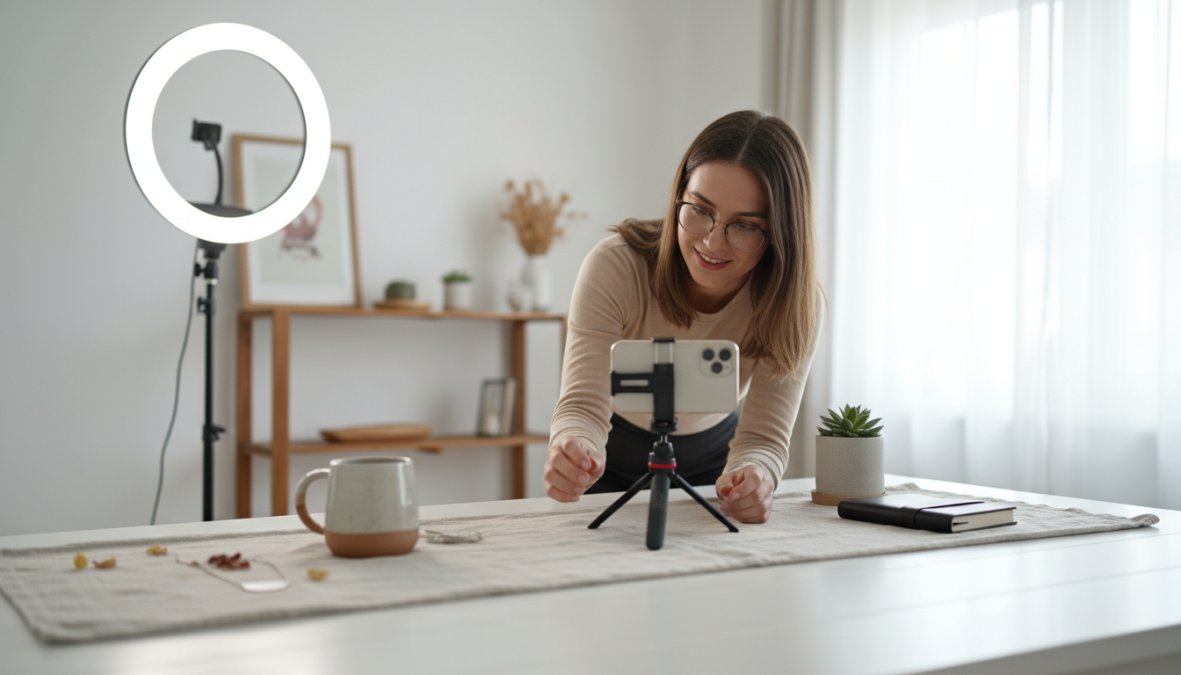
Tagging Products in Posts, Reels, and Stories
Tag products every time it’s natural to do so. This sounds obvious, but many sellers post lifestyle content without product tags, missing the direct conversion path. Every post showing a product you sell is a missed opportunity if it isn’t tagged.
Instagram allows up to 5 product tags per image post and up to 20 product tags per carousel. For Reels, product tags appear as a sticker overlay. For Stories, use the product link sticker to direct viewers to a specific product page.
A practical tagging strategy:
- Feed posts: Tag the primary product featured. If multiple products appear, tag all of them up to the limit.
- Reels: Tag the product in the first few seconds if it appears on screen. Viewers who watch past the 3-second mark are already engaged.
- Stories: Use the product sticker for direct product links. Add a CTA text overlay like "tap to shop" to increase sticker taps.
- Carousels: Use the full 20-tag allowance when showcasing a product collection or multiple variants.
Consistency matters more than volume. Sellers who tag products in every eligible post build a compounding catalog of shoppable content that continues generating traffic long after the post date.
using Hashtags and SEO-Friendly Captions
Hashtags in 2026 function differently than they did three years ago. Instagram’s own guidance has shifted toward recommending 3-5 highly relevant hashtags rather than the old practice of stacking 30. The algorithm now prioritizes content relevance over hashtag volume, and keyword-rich captions carry more weight than they used to.
Write captions that describe the product and context naturally, incorporating the terms your target customer would search. "Handmade ceramic mug perfect for slow mornings" is better than "mug #ceramics #handmade #pottery #shopsmall #etsy." The first reads like a human wrote it and contains searchable language. The second is tag spam that the algorithm discounts.
According to Instagram’s creator guide on content discovery, captions that include descriptive language about the product, its use case, and its audience tend to perform better in search and Explore discovery than captions built primarily around hashtag blocks.
More Tips for Selling on Instagram Shop: Content and Engagement
Here’s where the strategy gets interesting, and where most tactical guides stop being useful.
The sellers seeing the best results from Instagram Shop in 2026 aren’t necessarily the ones with the largest followings. They’re the ones who understand that Instagram’s algorithm rewards specific engagement signals in a specific sequence, and that manufacturing those signals through content structure is a learnable skill, not a matter of luck or audience size.
How Instagram’s Engagement Signals Actually Feed Product Discovery
Instagram’s discovery algorithm doesn’t treat all engagement equally. Saves and shares carry significantly more weight than likes for product content, because they signal intent rather than passive approval. A shopper who saves your product post is telling the algorithm they want to return to it, that’s a purchase-consideration signal. A shopper who shares it is extending your reach to a new audience segment. Likes are the weakest signal of the three.
This has a direct implication for how you structure shoppable content:
- Design posts that earn saves: Carousel posts showing multiple product angles, size comparisons, or styling options give viewers a reason to save for reference. "Save this for your next gift list" is a more effective CTA than "shop the link in bio" because it asks for a lower-commitment action that also happens to be a stronger algorithmic signal.
- Design posts that earn shares: Content that makes the viewer look good for sharing it, a useful tip, a beautiful image, a relatable moment, gets shared. Pure product advertising rarely does. The most shareable shoppable content tends to be lifestyle content where the product is present but not the sole focus.
- Use comments strategically: When someone asks a product question in comments, answer it publicly and in detail. That exchange is indexed by Instagram’s search and visible to every future viewer of the post. A comment thread with five genuine product questions and detailed answers functions as a live FAQ that builds purchase confidence without any additional content creation effort.
The Content Cadence That Compounds Over Time
Posting frequency matters less than posting structure. A seller who posts three times a week with consistent product tagging, varied content formats, and strong engagement signals will outperform a seller who posts daily with inconsistent tagging and no engagement follow-through.
A practical weekly content structure for Instagram Shop sellers:
2x feed posts (carousel or single image): Product-focused with full tagging. Lead with your strongest image. Write captions that describe the product and its use case in natural language, "This mug holds 12oz and fits under most espresso machines" is more useful and more searchable than "morning vibes ☕ #ceramics."
2x Reels: One product demonstration (showing the product in use, showing scale, showing texture or material detail) and one brand/process video (packaging, studio, sourcing). Tag the product in the demonstration Reel. The process Reel builds trust without feeling like an ad.
3-5x Stories: Mix product sticker links with polls, questions, and behind-the-scenes clips. Stories with interactive elements (polls, question boxes) generate engagement signals that feed back into your account’s overall reach. A poll asking "which colorway should we restock?" is both a market research tool and an engagement driver.
This structure gives you approximately 35-40 pieces of content per month, all feeding into a compounding library of shoppable touchpoints. A post from six weeks ago that’s still tagged and indexed is still generating traffic. The catalog of shoppable content you build over time is a durable asset, not a perishable one.
Instagram Guides and Collections: The Two Most Underused Features
Instagram Guides let you group products, posts, or places around a theme and publish them as a scrollable, shareable format. Most sellers ignore this feature entirely. That’s a mistake, because Guides are indexable by Instagram’s search, shareable via DM and Stories, and they position you as a curator rather than just a seller.
High-performing Guide themes for product sellers:
- "Gifts under $[price point]" organized by recipient type
- "How to style [product category]" showing your products in different contexts
- "Our bestsellers this season" with brief descriptions of why each product earned that status
Guides don’t require new content. You can build them from posts you’ve already published, which means the creation cost is low and the discoverability upside is real.
Product Collections in your Instagram Shop (the equivalent of Etsy sections) are equally underused. A shop with one undifferentiated product list is harder to browse than a shop organized into "Mugs," "Bowls," "Gift Sets," and "New Arrivals." Collections also give Instagram’s algorithm more structured data about your catalog’s scope, which can improve your shop’s placement in the shopping tab for category-level searches.
Pin your best-performing shoppable post to the top of your profile grid. Pinned posts appear first for every new profile visitor and get disproportionate visibility during the critical first-impression window. If you have a post with strong engagement and a tagged product that converts, keeping it pinned is one of the lowest-effort, highest-leverage moves available to you.
What Not to Do: The Engagement Mistakes That Suppress Reach
Avoid posting the same product image multiple times with slightly different captions to “test” performance. Instagram’s algorithm identifies near-duplicate content and reduces its distribution. If you want to test content variations, use A/B testing within Meta’s paid tools, or create genuinely different content formats (a static image vs. a Reel vs. a carousel) for the same product rather than near-identical static posts.
Don’t use engagement pods or reciprocal follow groups. These generate low-quality engagement signals from accounts that have no purchase intent. Instagram’s algorithm has become increasingly effective at identifying inauthentic engagement patterns and discounting them. The short-term follower count gain isn’t worth the long-term suppression of your organic reach.
Don’t abandon posts after 24 hours. Many sellers treat Instagram like a news feed where content expires. In reality, a well-tagged product post continues to surface in the shopping tab and Explore for weeks or months after publication. Responding to comments on older posts, resharing them in Stories, or linking to them in new captions extends their active life and signals to the algorithm that the content is still relevant.
The throughline across all of these practices is that engagement and commerce aren’t separate goals on Instagram. Every comment, save, and share is also a signal that feeds back into your product’s discoverability. Sellers who understand that connection, and build their content strategy around it, build compounding visibility that doesn’t require a paid media budget to sustain.
Tools for Instagram E-Commerce That simplify Your Workflow
Managing an Instagram Shop manually becomes unsustainable fast, especially once you’re running more than 50 products or selling across multiple channels simultaneously.
Why Multi-Channel Syncing Saves Time and Prevents Errors
The single biggest operational risk for Instagram sellers is inventory mismatch. You sell your last unit on Etsy, but your Instagram Shop still shows it as available. A customer purchases through Instagram. Now you have an oversell situation, a refund to process, and a disappointed customer to manage.
Real-time inventory syncing eliminates this entirely. When your product catalog is connected to a central inventory source that pushes updates to every channel simultaneously, oversells become structurally impossible.
Embed360 solves this for Etsy sellers specifically. It syncs product listings, images, pricing, and inventory across Instagram Shop, Facebook Shop, Google Shopping, and your own website in real time. A price change or inventory update on Etsy propagates to every connected channel automatically. There’s no manual update step, no spreadsheet to maintain, no end-of-day reconciliation.
For sellers managing catalogs of 100+ products across 3+ channels, this kind of automation isn’t a convenience. It’s the difference between a business that scales and one that breaks under its own weight.
AI-Powered Listing Optimization: Work Smarter, Not Harder
Writing product titles and descriptions for every channel is one of the most time-consuming parts of running an e-commerce operation. Most sellers either write one version and copy-paste it everywhere (suboptimal for each channel’s specific algorithm) or write unique versions manually (accurate but exhausting at scale).
Embed360’s Listings Genie uses AI to generate conversion-focused product descriptions and optimized titles tailored for search visibility. For sellers launching new products or refreshing an existing catalog, it cuts the time spent on listing copy from hours to minutes. You can create new listings and send optimized versions directly to Etsy with one click.
The practical implication: instead of spending your Tuesday afternoon rewriting 40 product descriptions, you spend 20 minutes reviewing AI-generated drafts and making edits. The rest of the afternoon goes toward content creation, customer engagement, or whatever actually moves your business forward.
You can start with a free account to see how the syncing and optimization features work before committing to a paid plan. Embed360’s pricing is available on their website for sellers who want to compare tiers.
Common Mistakes to Avoid When Selling on Instagram Shop
Most of these aren’t obvious until you’ve already made them.
Skipping catalog maintenance. Your Instagram Shop catalog is not a set-it-and-forget-it asset. Products that are out of stock, discontinued, or repriced need to be updated immediately. Stale catalog data erodes trust and wastes the traffic your shoppable posts generate.
Using the same title across every channel. This is the negative SEO equivalent of keyword stuffing. If your Etsy listing title, Instagram product title, and Google Shopping title are identical, you’re not optimizing for any of them. Each platform has different character limits, different algorithmic signals, and different user intent patterns. Treat them as distinct assets.
Ignoring the mobile preview. Most Instagram users browse on mobile. A product title that reads well on desktop may truncate awkwardly on a 375px screen. Always preview your product titles and descriptions on a mobile device before publishing.
Treating Instagram Shop as a passive channel. Sellers who set up their shop and wait for sales rarely see meaningful results. Instagram rewards active sellers who post consistently, tag products regularly, and engage with their audience. The algorithm interprets inactivity as low relevance.
Not using product collections. Instagram lets you organize your shop into collections (similar to Etsy sections). Sellers who skip this leave a navigation layer on the table. Collections make it easier for shoppers to browse by category, and they signal to Instagram’s algorithm that your shop is well-organized and worth surfacing.
According to Meta’s Commerce Manager help documentation, shops with complete product information including accurate titles, descriptions, and high-quality images consistently receive higher placement in Instagram’s shopping surfaces than incomplete listings.
Managing a growing product catalog across Instagram Shop, Etsy, and multiple other channels is genuinely difficult to do well without the right infrastructure. Embed360 handles the operational complexity: real-time syncing of listings, pricing, and inventory across every connected channel, plus AI-powered listing optimization through Listings Genie that writes conversion-focused titles and descriptions at scale. If you’re an Etsy seller ready to expand to Instagram Shop without the manual overhead, create a free Embed360 account and see how much time you get back in your first week.
Frequently Asked Questions
Is Instagram Shop free to use?
Setting up an Instagram Shop is free. Instagram does not charge a listing fee to display your products. However, if you use Instagram's native checkout feature, a selling fee applies per transaction. Many sellers avoid this by directing customers to an external website to complete purchases, which can reduce fees. Always check Instagram's current commerce policies for the latest fee structure before launching your shop.
What are the requirements to sell on Instagram Shop?
To sell on Instagram Shop, you need a business or creator account, compliance with Instagram's commerce policies, a connected Facebook Page, and a product catalog linked via Facebook Commerce Manager. Your account must be based in a supported country and have an established presence, meaning a reasonable number of posts and followers. Meeting these requirements is the essential first step before you can tag products or run shoppable ads.
How can I increase sales on Instagram Shop using best practices?
Increasing sales on Instagram Shop comes down to visibility and trust. Use high-quality product images, write keyword-rich descriptions, and consistently tag products in posts, Reels, and Stories. Engage with your audience through comments and DMs. Run targeted promotions and collaborate with micro-influencers in your niche. Tools for Instagram e-commerce like Embed360 can help you sync your catalog automatically and optimize listings with AI, saving time while improving your conversion rate.
How do I tag products on Instagram posts and Stories?
To tag products, your Instagram Shop must be approved and your catalog connected. When creating a post, tap 'Tag Products' before publishing and select the relevant items from your catalog. For Stories, use the Product sticker. For Reels, you can add product tags during the editing phase. Consistently tagging products across all content types increases your shop's visibility and makes it easier for followers to purchase directly, which is one of the most effective tips for selling on Instagram Shop.
Can I use tools to optimize my Instagram product catalog automatically?
Yes. Tools for Instagram e-commerce like Embed360 allow you to sync your product catalog in real time across multiple channels including Instagram Shop, Facebook, Shopify, and more. Embed360's AI-powered Listings Genie can also craft optimized product titles and descriptions automatically, helping you rank higher and convert more browsers into buyers. This eliminates manual updates and ensures your pricing and inventory stay accurate everywhere. A free plan is available to get started.
